
When you advertise or send a newsletter, you want to know where people come from and what they do after the click. On 1li.ch you have three tools for this: UTM parameters, read by Google Analytics and other analytics tools; social network pixels, to measure campaigns and build audiences; and targeting, to send every visitor to the most suitable destination.
Adding a pixel to a link
- In the Dashboard menu, open Pixels and create a new pixel: choose the type (Facebook, Google Analytics, Google Tag Manager, LinkedIn, Pinterest, X, Quora, TikTok or Snapchat), give it a name and paste the ID you find in your advertising account.
- Open the Links list and go to edit the link.
- In the Pixels section, select the pixels to switch on for that link.
- Save your changes.
Adding UTM parameters
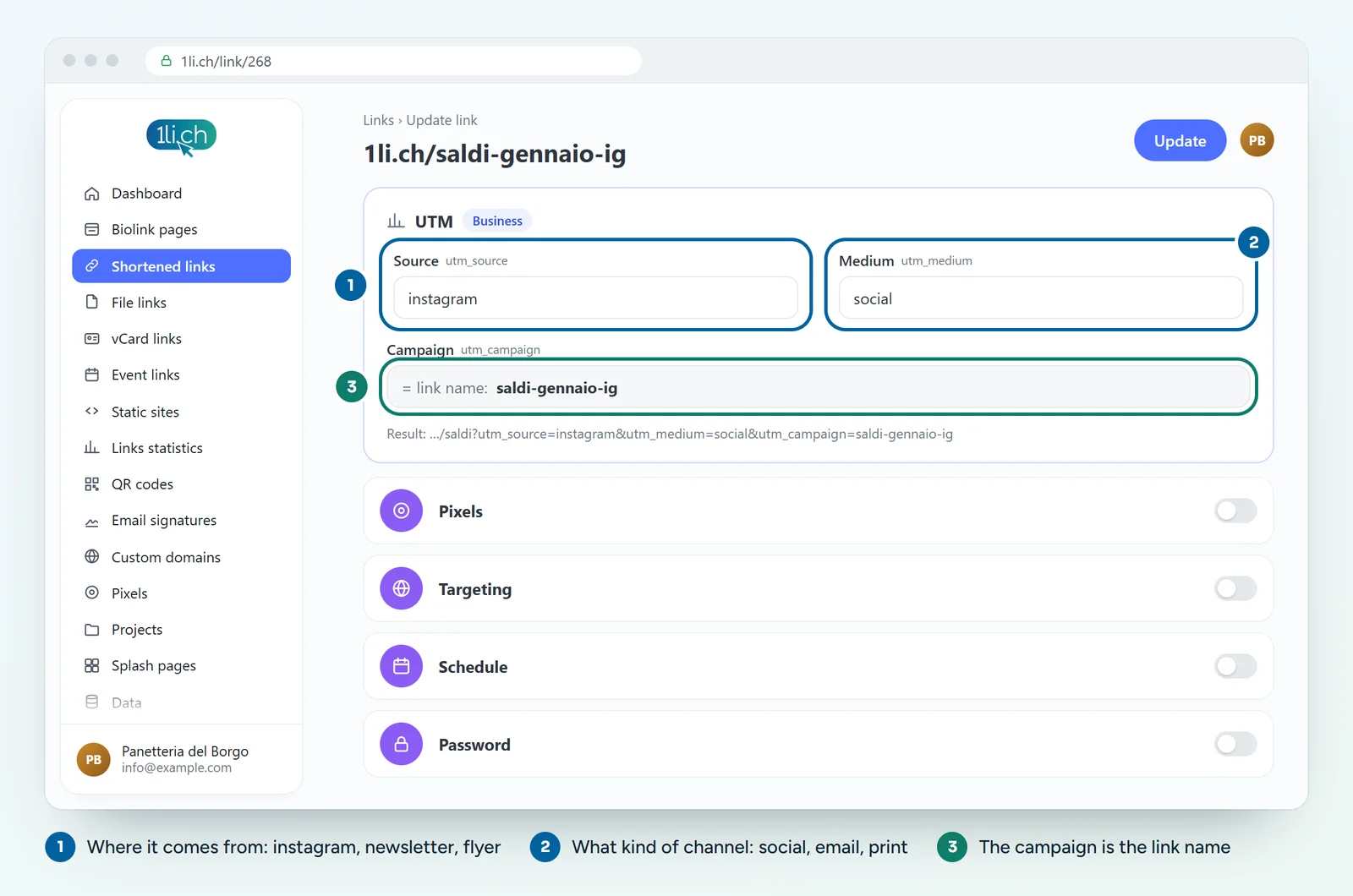
- When editing the link, open the UTM section.
- Fill in the source (for example
newsletterorinstagram) and the medium (for exampleemailorsocial). - Save. The campaign takes the name of the link, so give the link a clear name, such as
january-sale.
Using targeting
With targeting, the same link leads to different destinations depending on who clicks. You can create rules by continent, country, city, device, operating system, browser and language. A few examples:
- people who open the link on an iPhone go to the App Store, those on Android go to Google Play;
- people whose browser is set to German go to the German version of your website, everyone else to the Italian one;
- visitors from Switzerland see the price list in francs, those from abroad the price list in euros.
With random rotation you can also run an A/B test: the link sends visitors at random to two or more pages, and in the statistics you compare which one works better.
Tips
- Always write source and medium the same way (all lowercase), otherwise Google Analytics counts them as separate entries.
- Always set a main destination: it is the one shown to anyone who doesn’t match any rule.
- If you use pixels, remember to mention them in your privacy policy.
In your plan
| Feature | Free | Personal | Business | Agency |
|---|---|---|---|---|
| Pixels | no | 1 | 10 | 250 |
| UTM parameters | no | no | yes | yes |
| Targeting and A/B rotation | no | no | yes | yes |
See plans and pricing.