
A QR code that will not scan on 500 flyers is an expensive problem. The rules to avoid it are few: the right file, the right size, good contrast and a test before the print run.
1. Download the right file
- Open QR codes in the dashboard menu.
- Next to the code, click Download.
- Choose the format: SVG for the print shop and design software, PNG for Word, presentations and home printers.
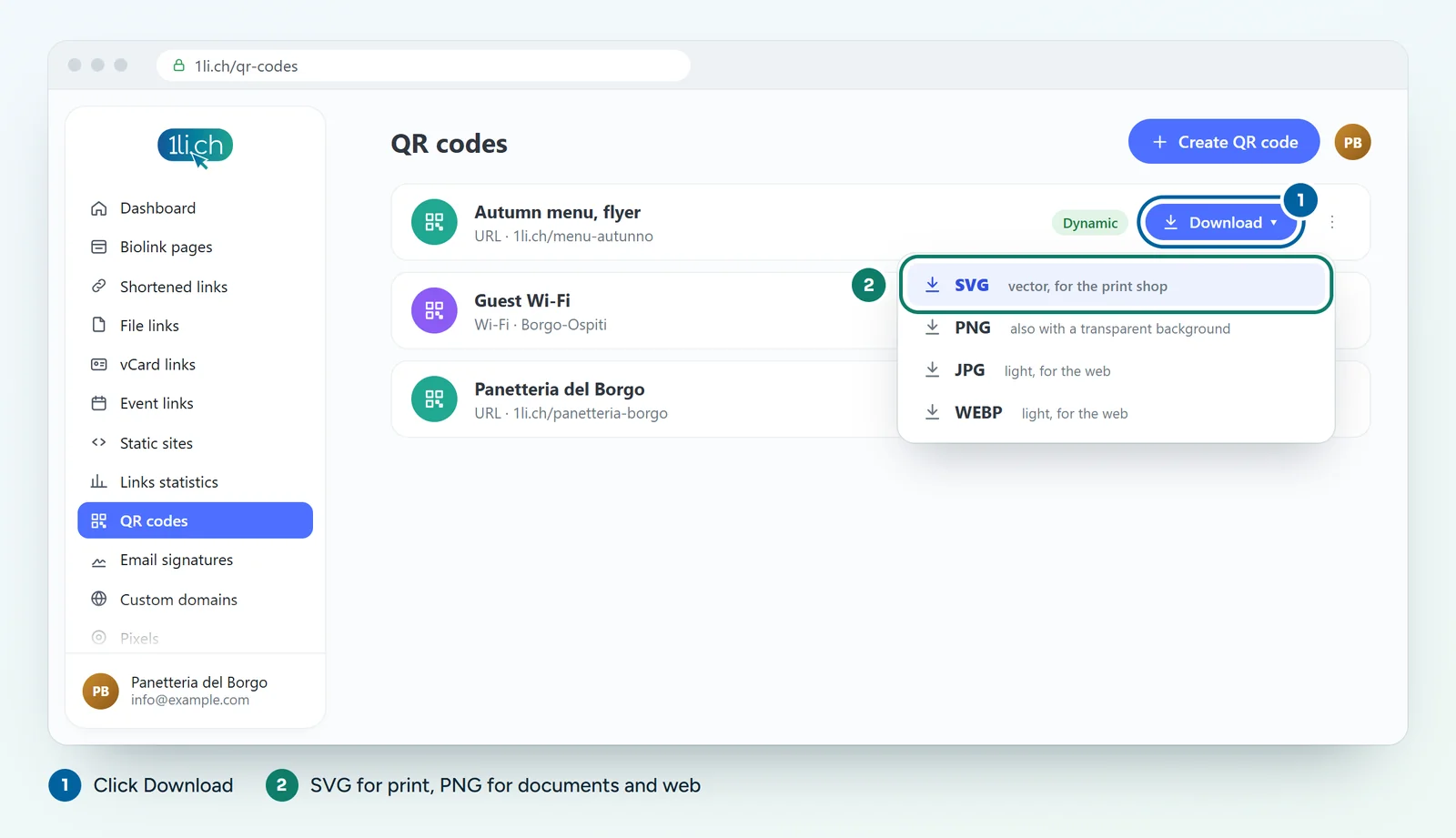
SVG is a vector format: it stays sharp at any size, from a business card to a billboard. If you use PNG, download it large and scale it down in your document, never the other way round.
2. Choose the size
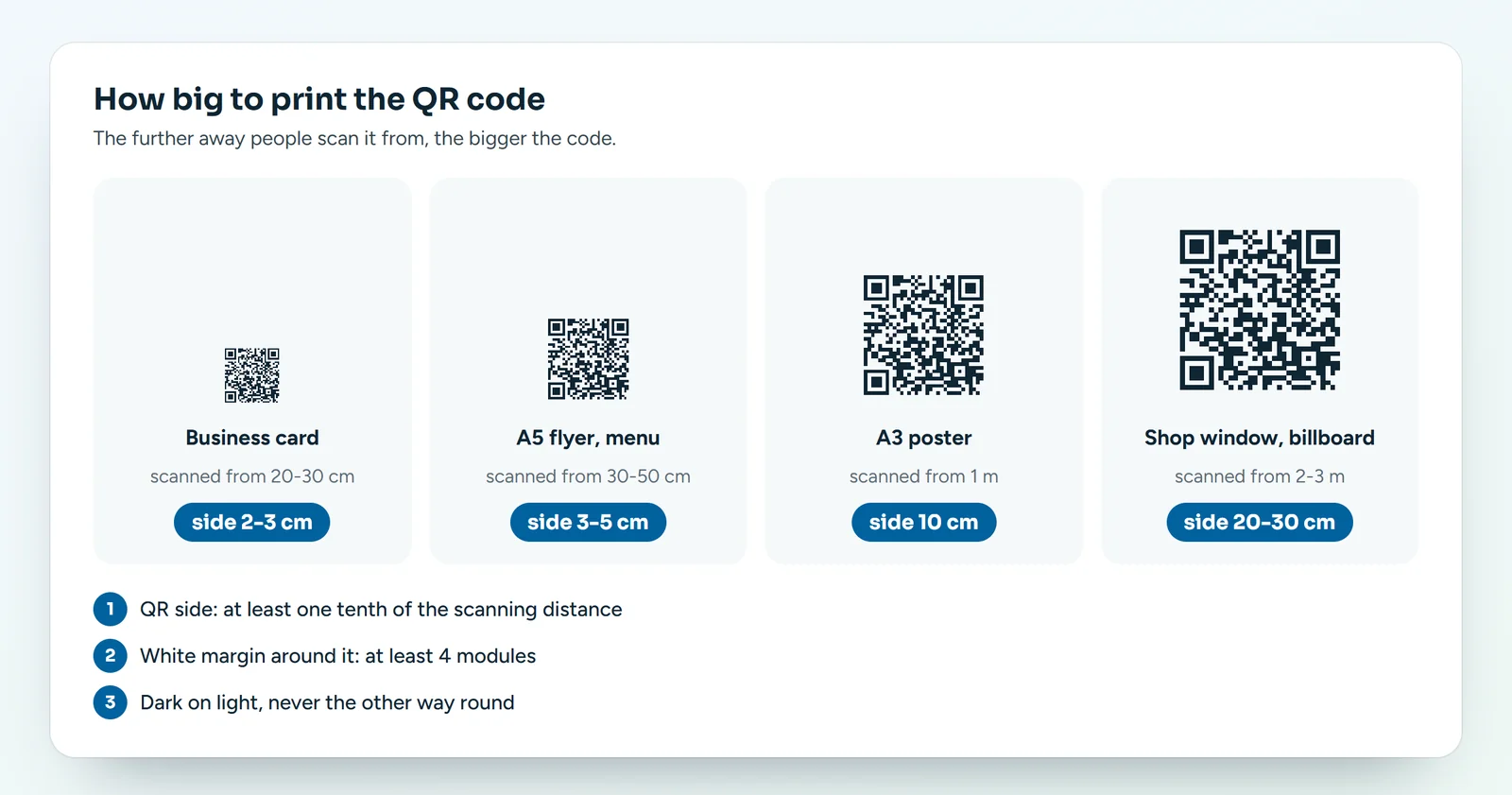
The rule of thumb: the side of the QR code should be at least one tenth of the distance people scan it from.
- Business card, scanned from 20-30 cm: at least 2-3 cm.
- A5 flyer or table menu, scanned from 30-50 cm: 3-5 cm.
- A3 poster on a noticeboard, scanned from about 1 m: 10 cm.
- Shop window or billboard, scanned from 2-3 m: 20-30 cm.
Below 2 cm many phones struggle, even up close.
3. Contrast and margin
- Dark on light: dark modules on a white or very light background. Many phones cannot read the opposite (light on dark).
- White margin: leave a clear space of at least 4 modules around the code. No text or graphics touching it.
- Use the logo wisely: if you put your logo in the centre, keep it small and raise the error correction.
- Surfaces: avoid glossy paper under strong lights and folds right across the code.
4. Before the print run
- Print a test copy at the real size.
- Scan it with at least two different phones, in low light too.
- Check that it leads to the right page.
- Add a call to action next to the code («Scan for the menu») and write the short link underneath: it helps people who cannot scan.
Static or dynamic?
For anything you print, a dynamic QR code is the better choice: if the destination changes one day, you update it from the dashboard and the printed code keeps working.
In your plan
| Feature | Free | Personal | Business | Agency |
|---|---|---|---|---|
| QR codes | 1 | 5 | 50 | 250 |
See plans and pricing.