
The restaurant menu, the price list, the season programme, the registration form: these are files that change often and that you want people to reach with a short link or a QR code. With a 1li.ch file link you upload the document once, share it, and when the new version comes out you replace the file on the same link. Anyone with the link, or the QR code printed on the table, always finds the latest version.
- Sign in to 1li.ch and open the Dashboard.
- Click Create link and choose File link.
- Upload the file from your computer or phone.
- Choose the link alias, for example
lunch-menu, or let us create it for you.
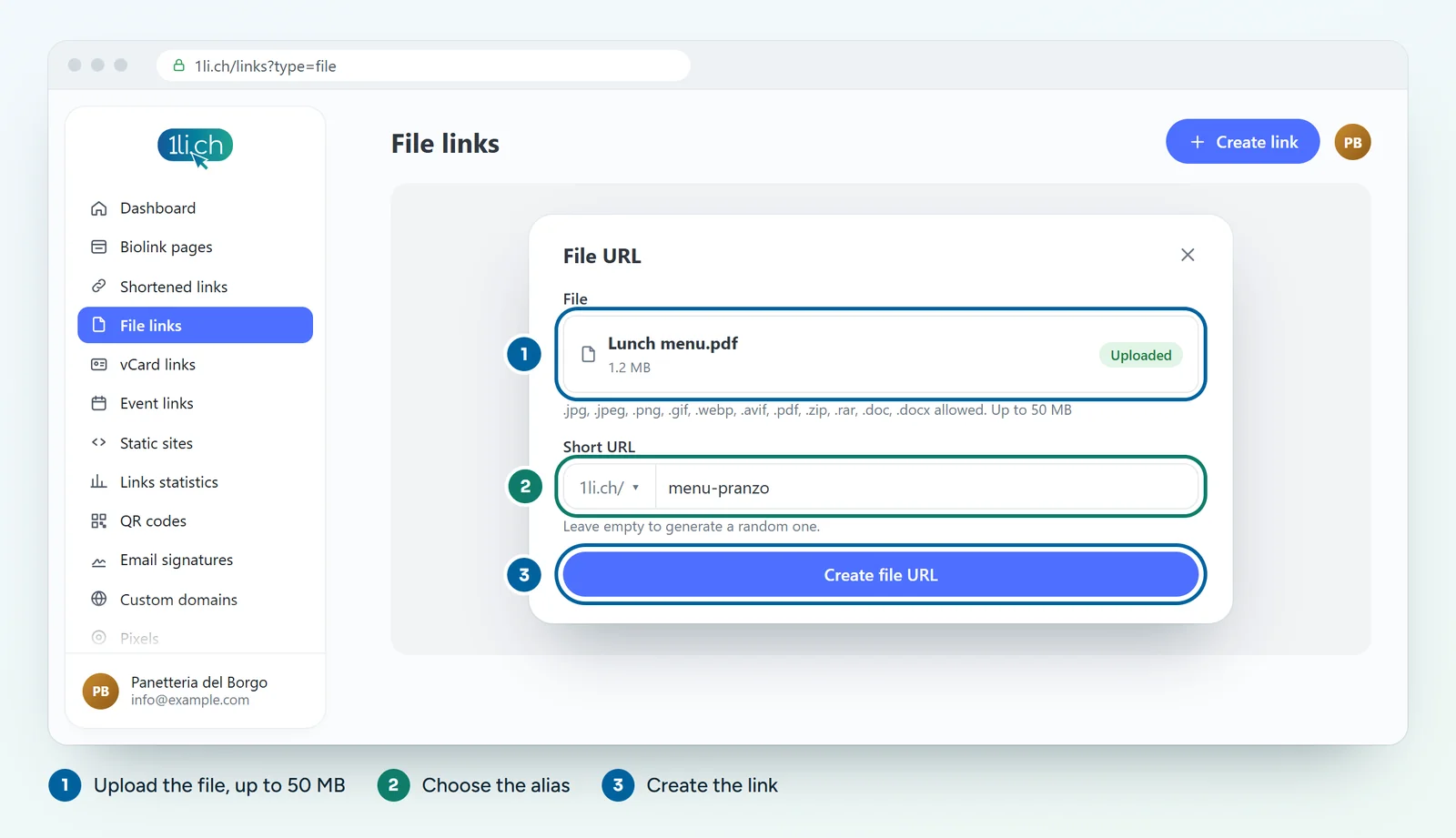
- Click Create file URL: the link appears in the Links list, ready to copy or turn into a QR code.
Files you can upload
You can upload JPG, PNG, GIF, WEBP, AVIF, PDF, ZIP, RAR, DOC and DOCX files, up to 50 MB each.
Replacing the file and keeping the same link
- Open the Links list and go to edit the file link.
- Upload the new file in place of the old one.
- Save. The link and any QR code stay the same.
Download or open in the browser
When you edit the link you will find the Force download option. If it is on, the file downloads straight to the device; if it is off, formats the browser can display (such as PDFs and images) open on screen. For a menu to read at the table, leave it off; for a ZIP archive or a Word document, switch it on.
Tips
- For a menu, a light PDF is best: a file of a few MB opens quickly even on a weak mobile connection.
- Give the file a clear name, because anyone who downloads it will find it under that name.
- Confidential documents: add a password to the link (from the Personal plan).
- Looking for a complete web page rather than a file? With Create link and Upload site (the window is called Static site) you can upload an HTML file or a ZIP with index.html.
In your plan
| Feature | Free | Personal | Business | Agency |
|---|---|---|---|---|
| File links | 1 | 25 | 200 | 1’000 |
File links have their own limit and don’t count towards your short links. See plans and pricing.