
From your biolink page you can sell a product, book a service or collect donations, without an online shop. You connect your payment provider, add the block and the money goes straight to you. We do not take any commission: you only pay the fees of the provider you choose.
1. Connect your payment provider
- In the dashboard menu, open Visitor payments and then Payment processors.
- Add a new processor and choose the provider: PayPal, Stripe, Mollie, Crypto.com, Razorpay, Paystack, Plisio or offline payment.
- Enter your account details with the provider and save.
2. Add the payment block
- Open the biolink page for editing, Blocks tab.
- Add the block you need: PayPal, Donation, Product, Service or Subscription.
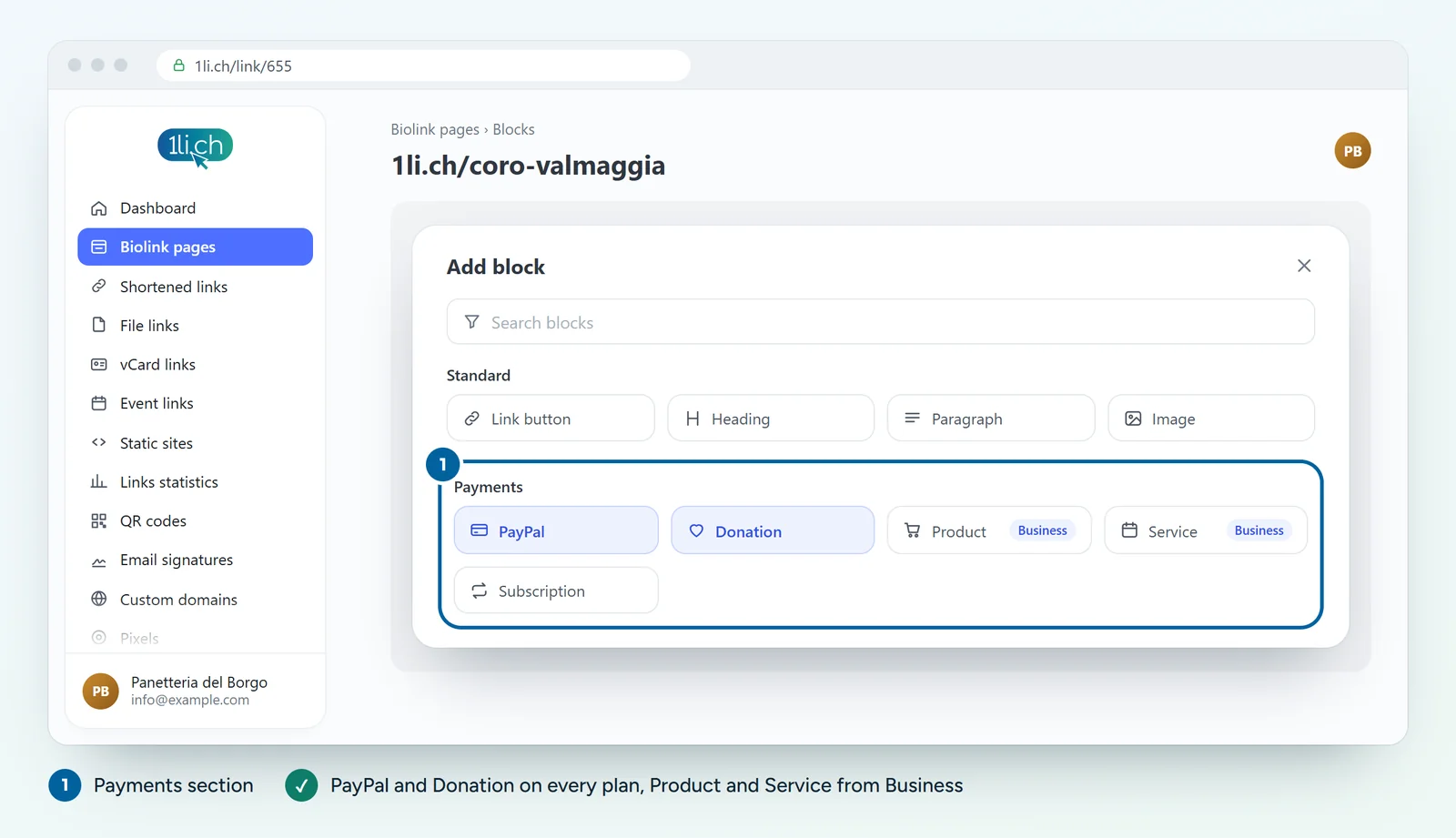
- Fill in the name, description and price, and choose the connected payment processor.
- Click Submit and make a test payment.
3. Check sales and income
In Visitor payments you also find statistics and sales, to see who paid and how much.
What about TWINT?
The providers you connect here do not include TWINT. For TWINT there is 1pay.ch, our Swiss payment collection service: the two services are not connected directly, the payment link is all you need.
- On 1pay.ch, create a payment link with an amount and a description, or a donation form. The Starter plan has no fixed costs.
- Copy the link and, on your bio link page, add a Link button with clear text, for example «Pay the fee with TWINT».
- Open the page on your phone and make a test payment.
Examples and costs are on the page Take TWINT payments from your bio link page.
Tips
- Describe clearly what the person is buying and when they will receive it.
- With offline payment, state clearly how and when people pay, for example in cash on collection.
- Always test a purchase from your phone before sharing the page.
In your plan
| Feature | Free | Personal | Business | Agency |
|---|---|---|---|---|
| PayPal and Donation blocks | yes | yes | yes | yes |
| Product and Service blocks | no | no | yes | yes |
| 1li.ch commission | 0% | 0% | 0% | 0% |
All the features are on the Payments page. See plans and pricing.