
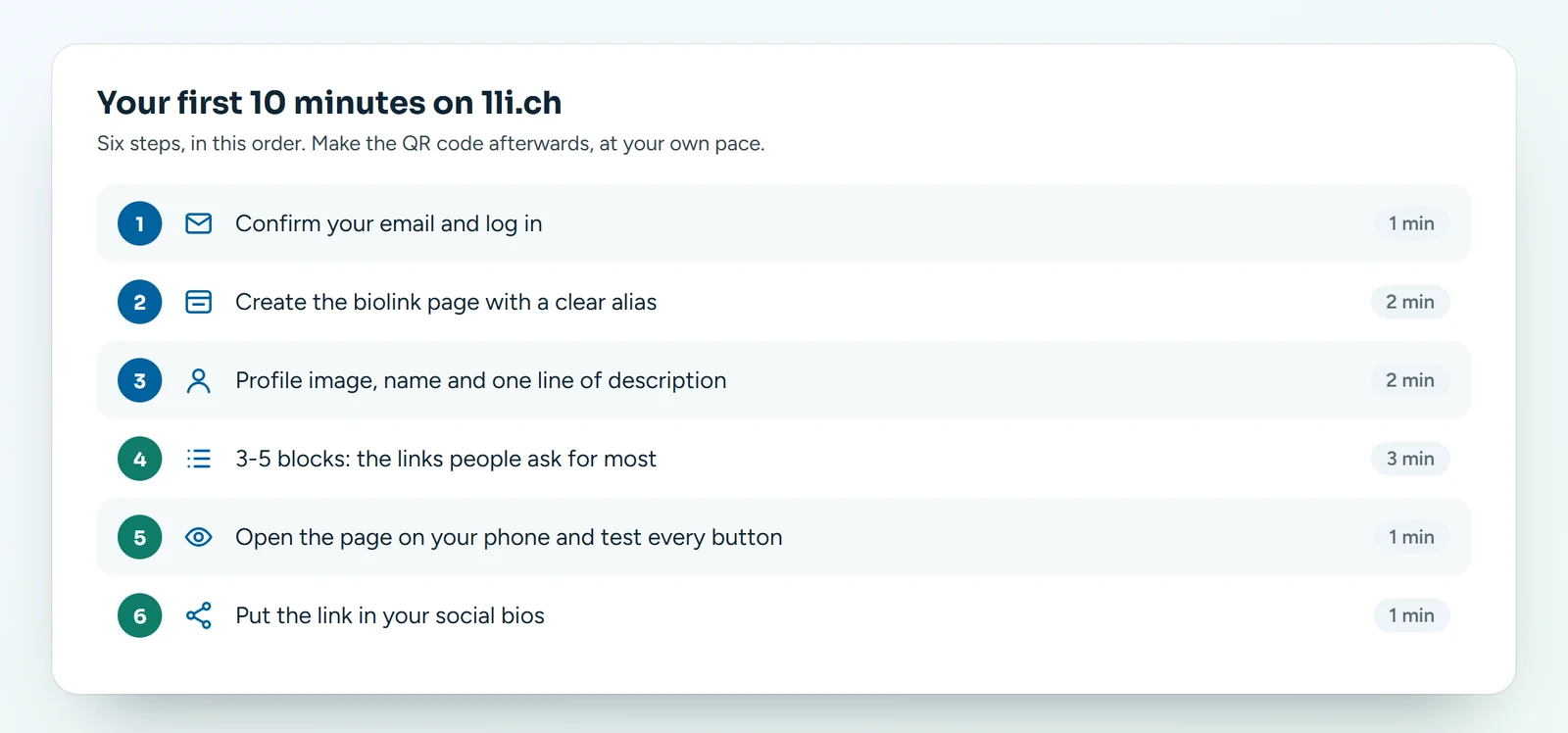
Just created your account and not sure where to start? Follow these six steps in order: in about ten minutes you have a biolink page that is ready, tested on your phone and already linked from your social profiles. The QR code, the colours and the rest can wait.
The checklist
- Confirm your email and log in (1 minute). Open the email we sent you, click the confirmation link and log in: you are in your Dashboard.
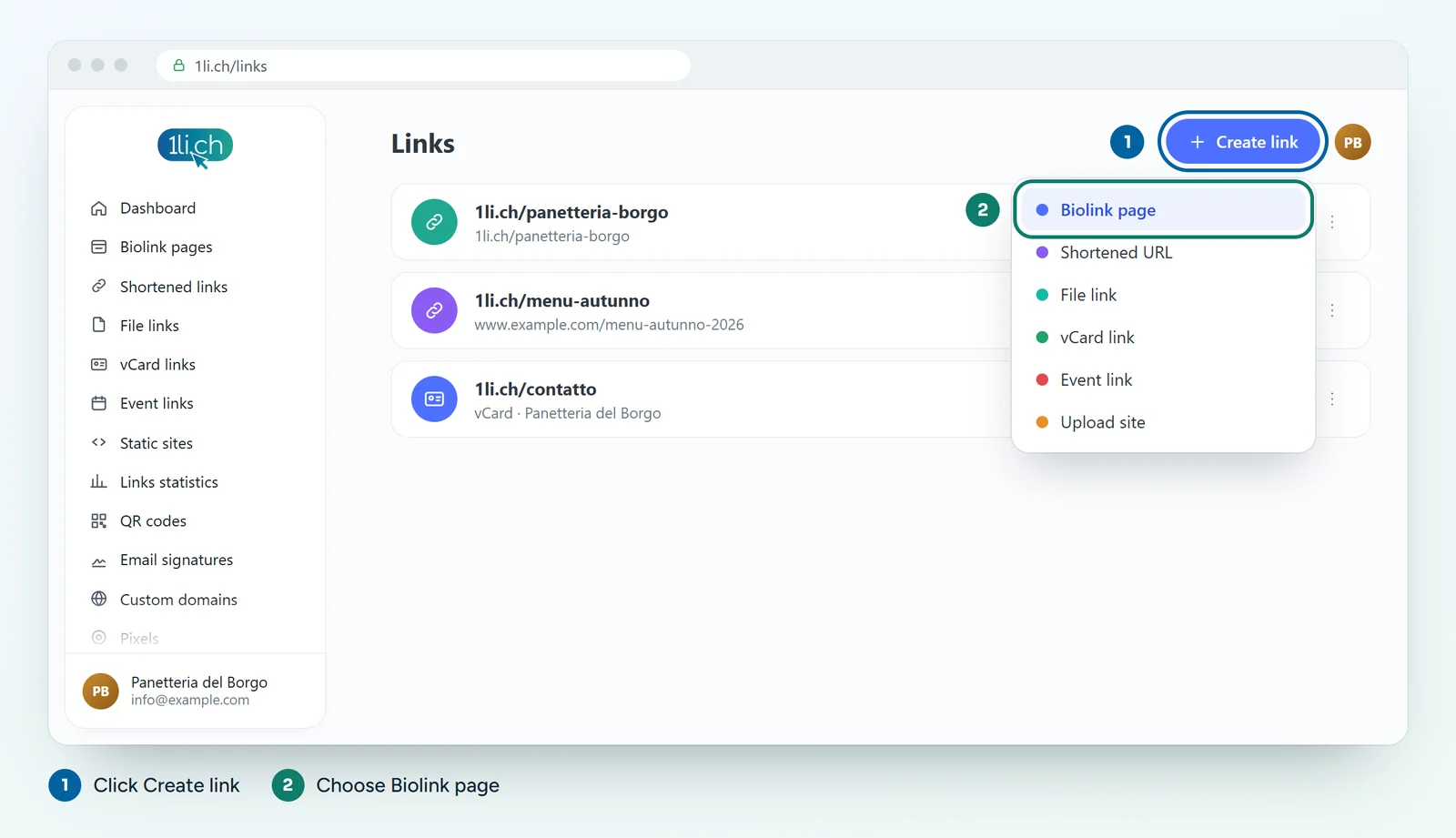
- Create the biolink page (2 minutes). Click Create link, choose Biolink page and type a short, clear alias, for example
village-bakery. This is the address you will put everywhere, so choose it carefully.
- Profile image, name and one line of description (2 minutes). In the Blocks tab add the profile image (your logo or a photo of you), then a heading with your name and a short paragraph: who you are, where you are, when you are open.
- Three to five blocks (3 minutes). Think about the questions people ask you most: «Where are you?», «What are your opening hours?», «Can I book?». Each answer becomes a Link button or a block such as Socials or Business hours. The most important one goes at the top.
- Test it on your phone (1 minute). Open your 1li.ch address on your phone and tap every button. If a link does not work, fix it straight away.
- Put the link in your bio (1 minute). Copy the page address and paste it into the website field of your Instagram, TikTok, Facebook or LinkedIn profile.
What next?
- Choose a theme, colours and background so the page looks like your shop or your club.
- Create the page’s QR code for the counter, flyers and business cards.
- After a week, look at the statistics: you will see which buttons people really use.
Mistakes to avoid at the start
- Too many blocks: ten similar buttons are confusing. Fewer, clearer ones work better.
- Changing the alias after sharing it: the old address stops working, and so do any QR codes you have printed.
- Not testing on a phone: almost everyone will open the page there.
In your plan
| Feature | Free | Personal | Business | Agency |
|---|---|---|---|---|
| Biolink pages | 1 | 5 | 50 | 250 |
| Blocks per page | 10 | ∞ | ∞ | ∞ |
| Preset themes | no | 22 | 22 | 22 |
| No ads | no | yes | yes | yes |
See plans and pricing.