
A biolink page can be found on Google, shared on WhatsApp and social media, or kept private. With the right settings you decide who sees it and how it looks: with a password for a private area, with a title and description for search engines, with a polished image when someone shares the link.
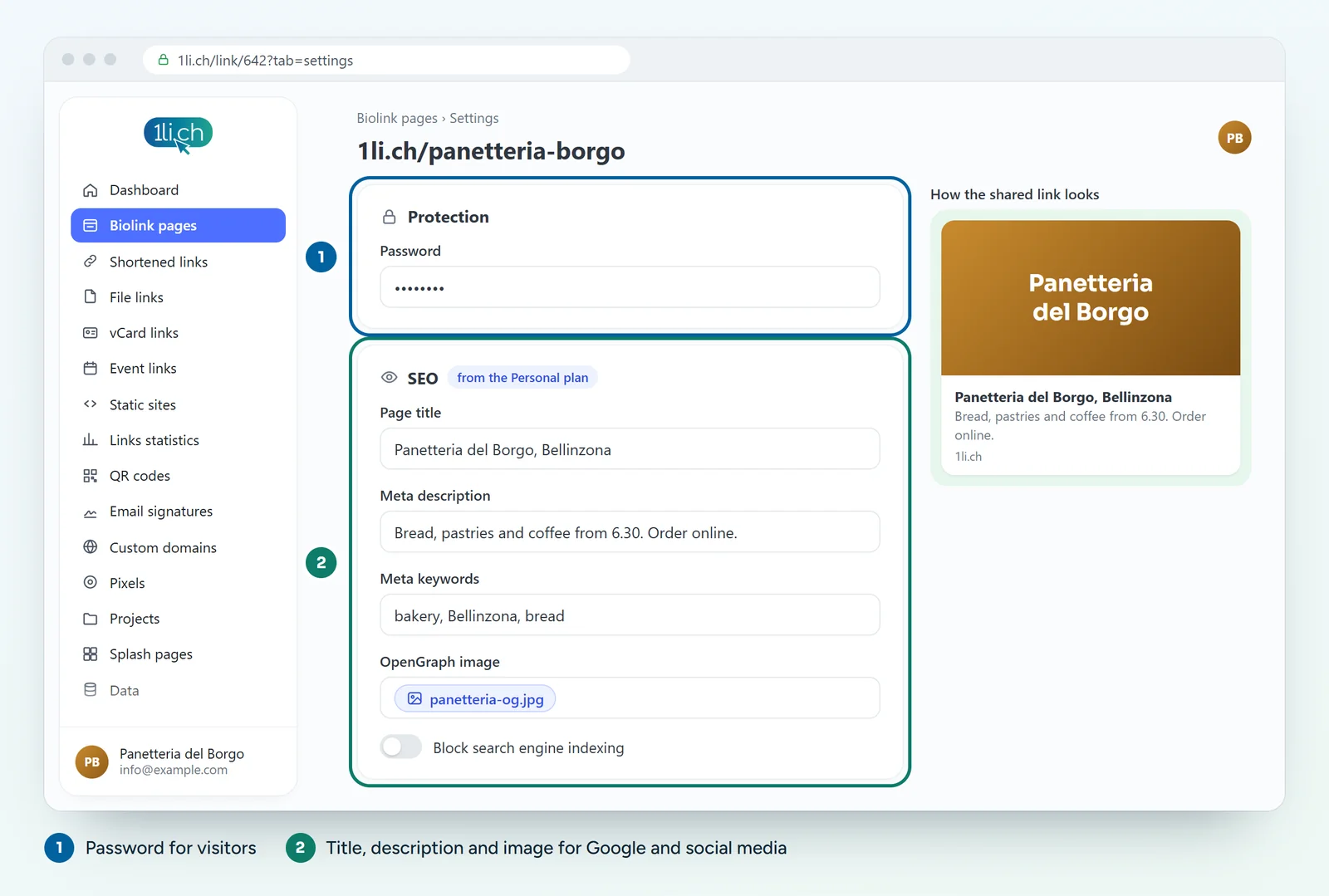
Protecting the page with a password
- Open the biolink page for editing, Settings tab.
- In the Password field, type the password visitors will need to enter.
- Save and try opening the page in a private browser window.
Useful for price lists reserved for resellers, material for members of an association or content for the participants on a course.
Setting up SEO and the social preview
- In the Settings tab, open the SEO section.
- Write the Page title: it appears on Google and in the browser tab.
- Write the Meta description: two lines that explain what people will find when they open the page.
- Add Keywords, if you like.
- Upload the Open Graph image: the image that appears when you share the link on WhatsApp, Facebook, LinkedIn and similar.
- Set the Page language.
- Save.
Hiding the page from search engines
If you do not want the page to appear on Google, turn on block indexing. You can also decide whether or not to show it in the public Directory of biolink pages at 1li.ch/directory.
Tips
- A short title with your name and location, for example «Pizzeria Sole, Bellinzona».
- A landscape Open Graph image, with little text and easy to read even when small.
- For images in your blocks, fill in the alt text: it helps accessibility and SEO.
- A password is not a safe: do not use it for sensitive data.
In your plan
| Feature | Free | Personal | Business | Agency |
|---|---|---|---|---|
| Password | no | yes | yes | yes |
| SEO settings | no | yes | yes | yes |
The SEO settings are title, description, keywords, Open Graph image and blocking indexing. See plans and pricing.