
People who visit your biolink page may not buy today, but they might want your news. With three blocks you turn the page into a small collection point: newsletter sign-ups, numbers for alerts, enquiries and orders. Everything lands in one section of your dashboard.
The three blocks
- Email collector: a field to leave an email address, for example «Get this month’s offers».
- Phone collector: for people who prefer a text message, for example «Tell me when the rye bread is in».
- Contact form: name, contact details and a message, for enquiries and orders.
How to add one
- Open the biolink page for editing and go to the Blocks tab.
- Add a block and choose, among the advanced blocks, Email collector, Phone collector or Contact form.
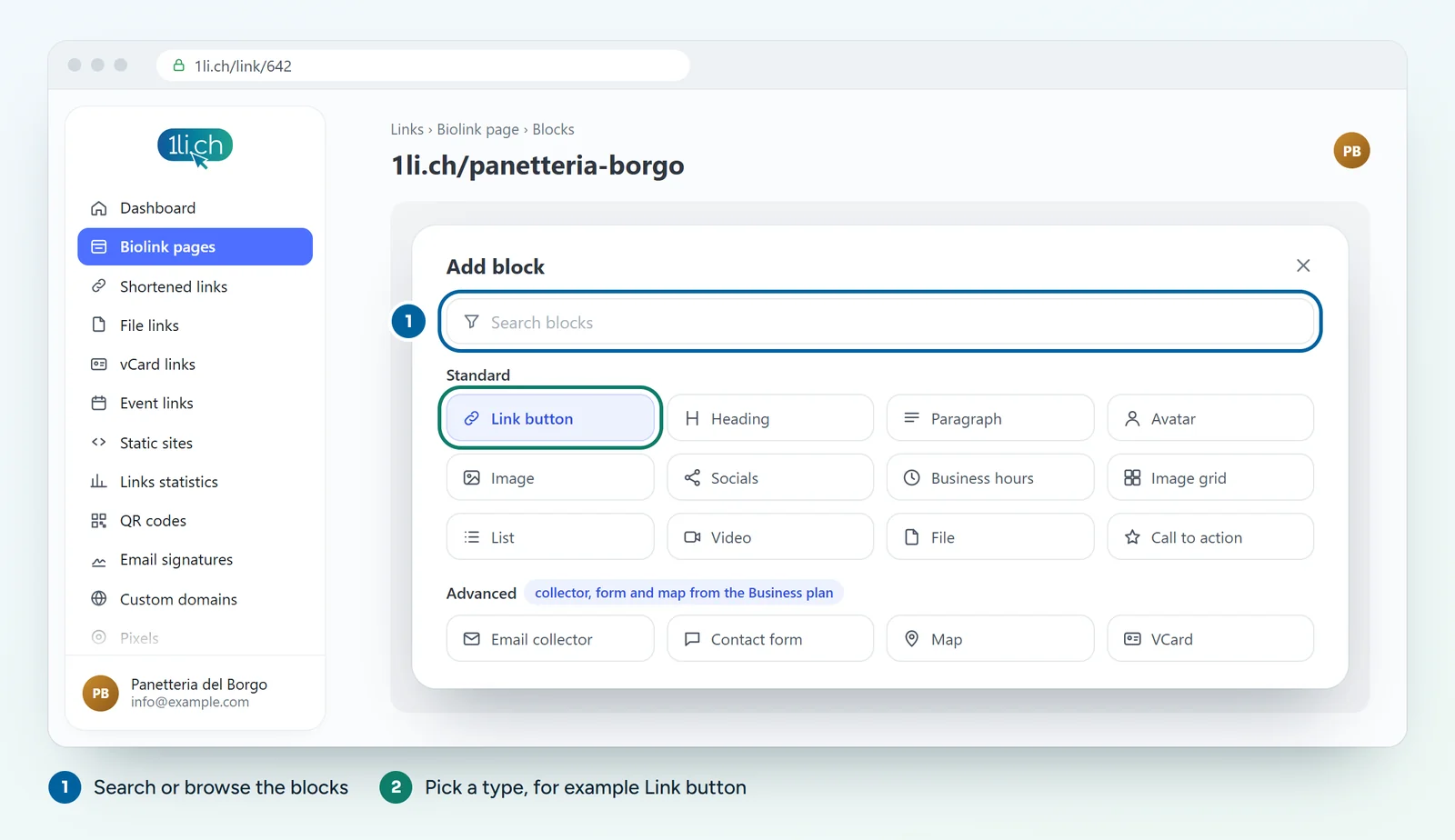
- Write the button text and a sentence that says what people get when they leave their details.
- Add the link to your privacy policy, if the block has that option.
- Save and test the block from the public page by sending your own address.
Where to find the data
- In the dashboard menu open Data.
- You see a list with the data, the block it came from and the date.
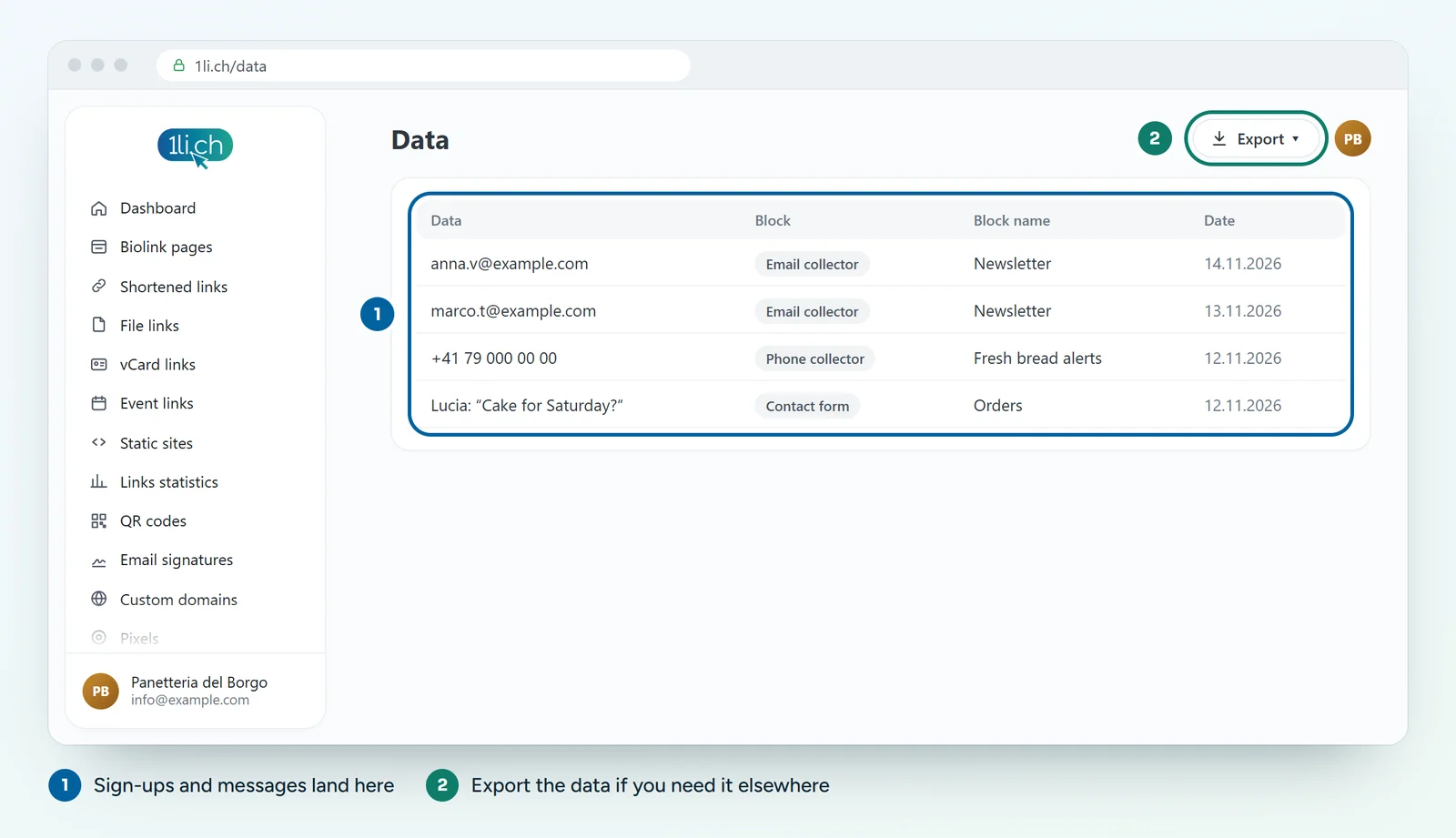
- If you need it in another program, for example your newsletter tool, export it.
Want to know straight away when a message arrives? In Notification handlers you can set up an alert by email or in apps such as Slack, Telegram or Microsoft Teams.
Privacy: what to do
- Collect only what you need: for a newsletter, an email address is enough.
- Say next to the field what the data is for, for example «One email a month, unsubscribe whenever you like».
- Mention the collection in your privacy policy and use the data only for the stated purpose.
- Delete data you no longer need.
Practical ideas
- Shop: «Leave your email and get our offers before everyone else».
- Club or association: contact form «Would you like to volunteer at the village fair?».
- Craftsperson: a form for quote requests, with a message field.
In your plan
| Feature | Free | Personal | Business | Agency |
|---|---|---|---|---|
| Email collector and contact form | no | no | yes | yes |
| Map and appointment calendar | no | no | yes | yes |
See plans and pricing.