
A biolink page is your «link in bio»: a single address that gathers links, social profiles, contact details and content. You create it in a minute from the Dashboard and then complete it with blocks. It is the first step if you want a link for your Instagram, TikTok or LinkedIn profile, or a digital business card.
How to create it
- Sign in and open your Dashboard.
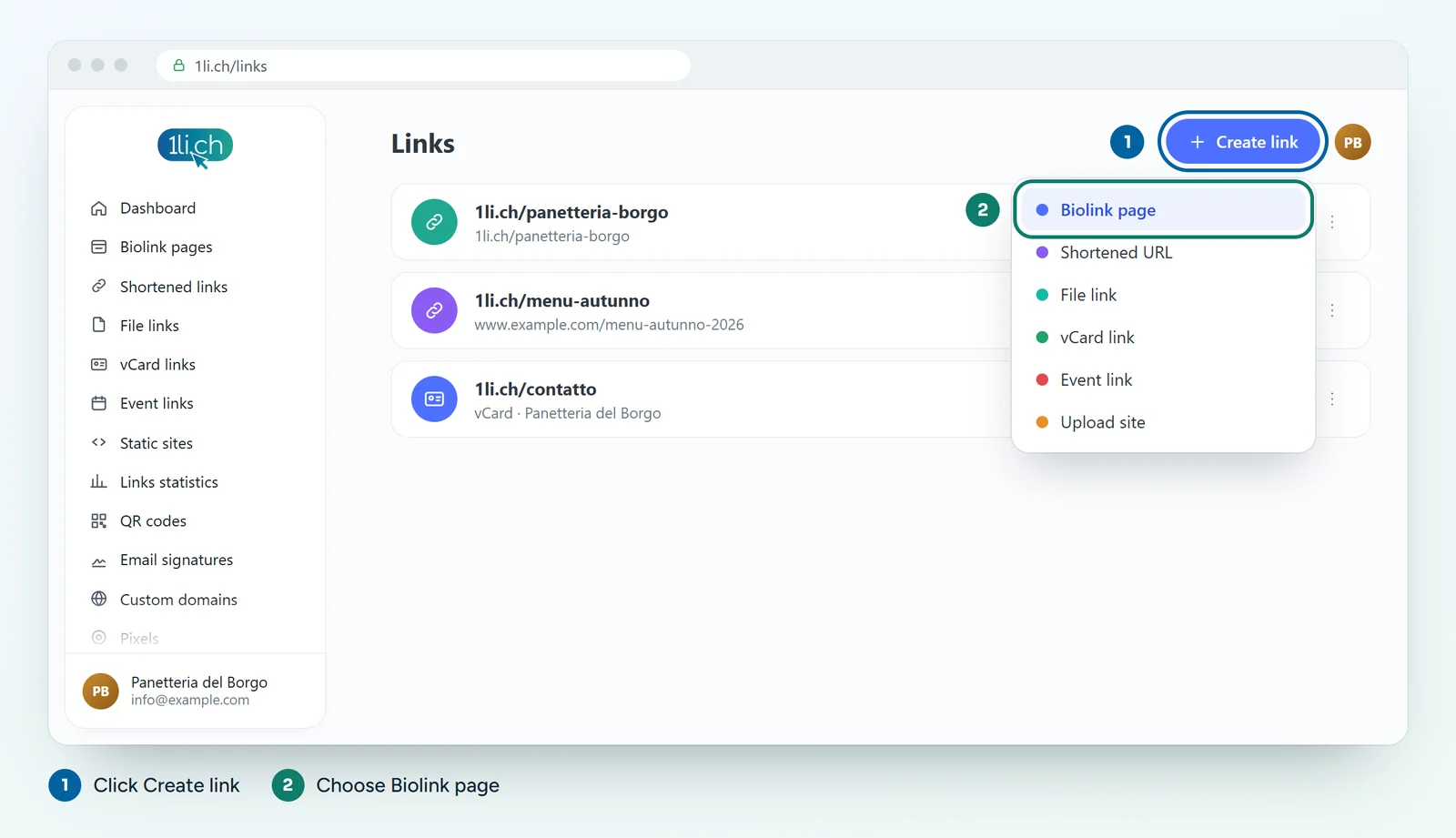
- Click Create link and choose Biolink page.
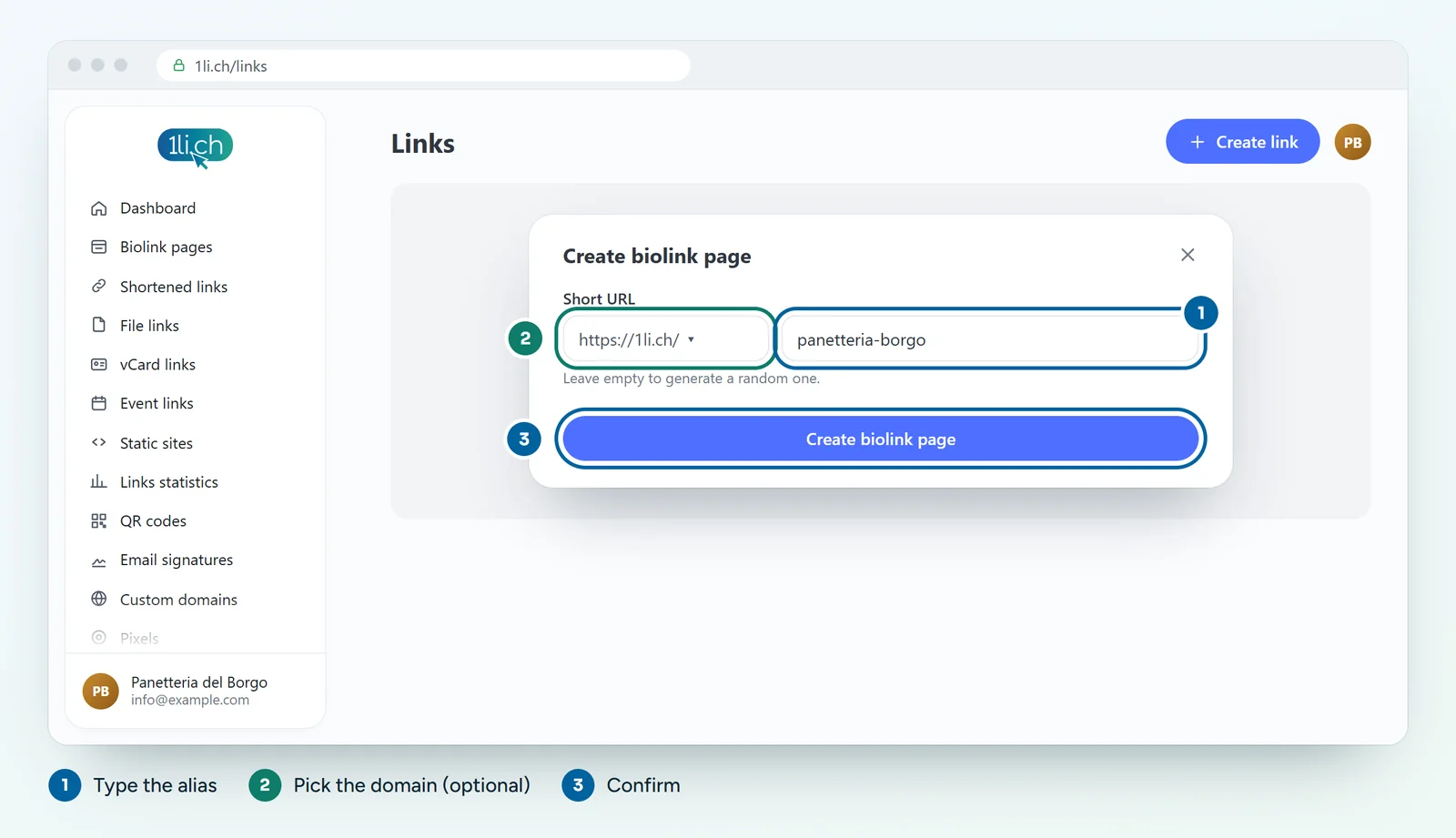
- In the alias field, type the last part of the address, for example
pizzeria-sole. If you leave it empty, we create a random alias. - If you want a different short domain, click the first part of the address (
https://1li.ch) and choose from the drop-down menu. - Click Create biolink page.
- The settings page opens: choose the theme, colours and background in the Settings tab, then add your content in the Blocks tab.
Starting from a template
In the Dashboard menu you will also find Biolink templates: ready-made templates to start from instead of a blank page.
Tips for the address
- Choose a short alias, linked to your name or your business, easy to say out loud.
- Avoid characters that are easily confused, such as
land1. - Think carefully before printing the address: if you change the alias, the old address and any linked QR codes stop working.
Available domains
On the Free plan you use 1li.ch. From the Personal plan you can also choose 1li.bio, 1li.it, 1ly.ch, 1qr.ch, 1love.ch and km0.ch. From the Business plan you can use your own domain.
In your plan
| Feature | Free | Personal | Business | Agency |
|---|---|---|---|---|
| Biolink pages | 1 | 5 | 50 | 250 |
| Block types | 21 | 38 | all | all |
| Blocks per page | 10 | ∞ | ∞ | ∞ |
| No ads | no | yes | yes | yes |
See plans and pricing.