
You are running a January sale and announce it with a flyer, an Instagram post and your newsletter. Which channel brought the most people? If you use the same link everywhere, you will never know. With one short link per channel, you will. Here is how to set up the campaign and read the numbers.
1. Prepare one link per channel
- Create a project, for example «January sale», from Projects in the dashboard menu.
- Create one short link per channel, all pointing to the same page: for example
january-sale-flyer,january-sale-ig,january-sale-nl. - Assign each link to the «January sale» project.
- Use each link only in its own channel: the first on the flyer (as a QR code too), the second on Instagram, the third in the newsletter.
2. Add UTM parameters (Business plan)
UTM parameters matter if you use Google Analytics or another analytics tool on your website: they tell you where each visit came from even after the click.
- Open the link settings and expand the UTM section.
- In source write the channel:
flyer,instagram,newsletter.
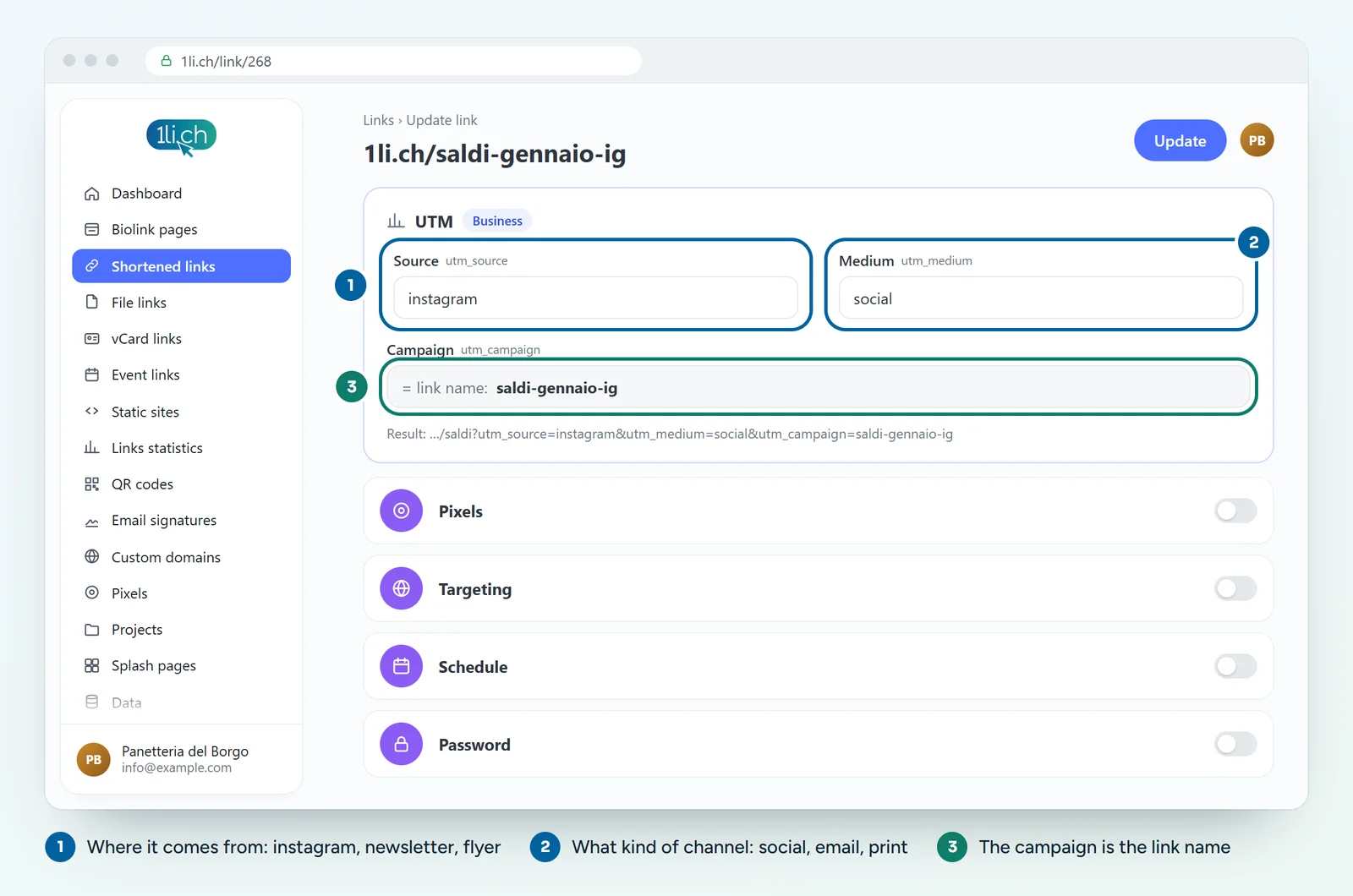
- In medium write the type:
print,social,email. - The campaign takes the name of the link: that is why a clear name such as
january-sale-ighelps. - Save.
3. Read the results in 1li.ch
- Open the Links list and filter by the «January sale» project: next to each link you see the number of clicks.
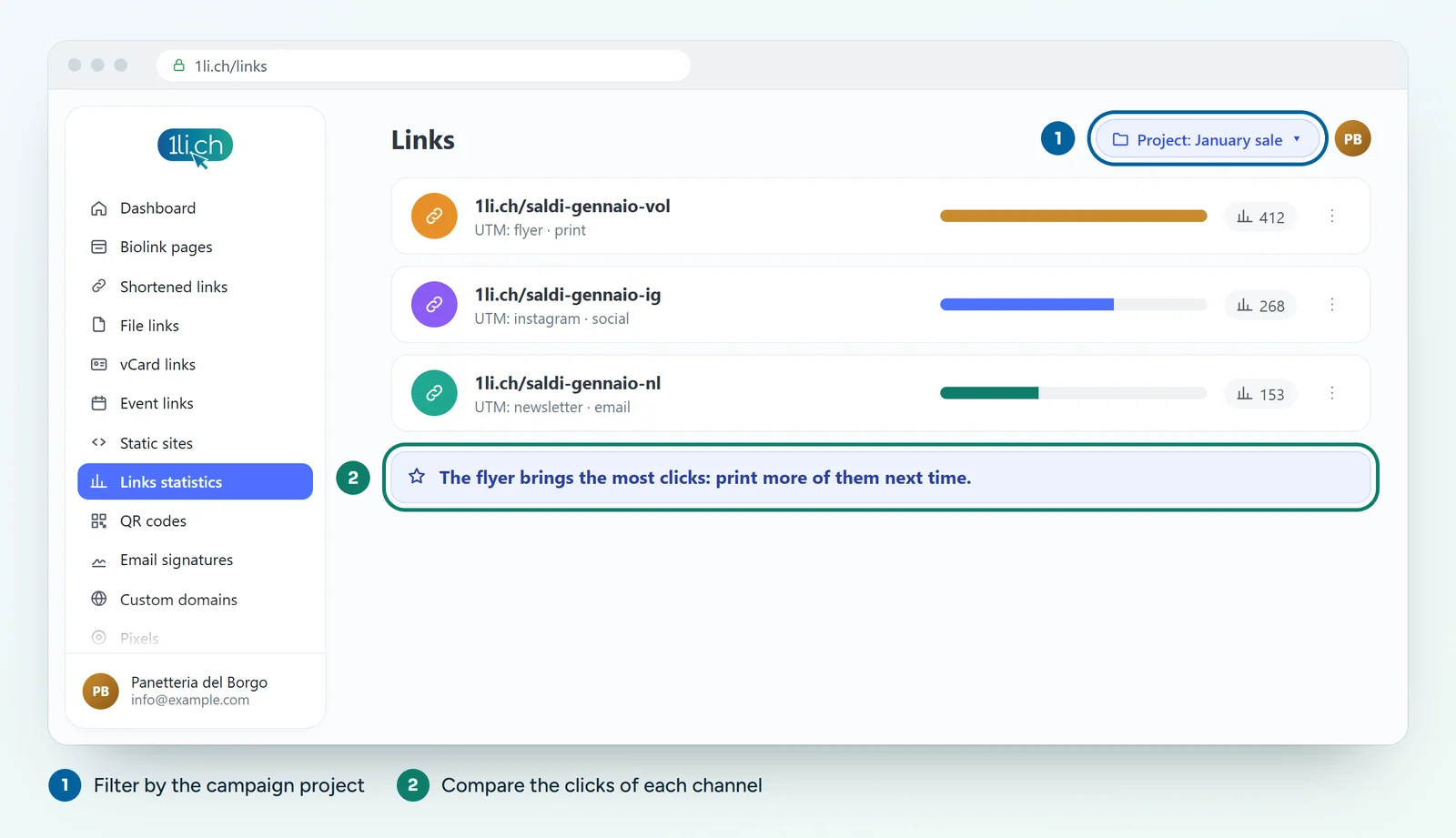
- For details, open the statistics of each link and pick the campaign period in the calendar at the top right.
- Look at countries, devices and referrers: for example how many people used the QR code on their phone.
- For an overview, open Links statistics in the menu.
4. Read the results in Google Analytics
In the acquisition reports, look for the campaign (for example january-sale-ig) or the source/medium. There you also see what people did on your website: how many pages they viewed, whether they bought something.
Common mistakes
- Different spellings:
Instagramandinstagrambecome two sources. Always write everything in lower case. - One link for two channels: if you put the same link on Instagram and Facebook, you can no longer tell them apart.
- Your own tests count: exclude your IP from the statistics in your account preferences.
- Wrong period: always compare the same days for every link.
In your plan
| Feature | Free | Personal | Business | Agency |
|---|---|---|---|---|
| Statistics kept for | 1 month | 6 months | 1 year | 2 years |
| Short links | 1 | 25 | 200 | 1’000 |
| Projects | no | 3 | 10 | 250 |
| UTM parameters | no | no | yes | yes |
For a campaign with three links you need at least 3 short links. See plans and pricing.