
A customer tells you your page will not open? Do not panic: it is almost always one of these causes, and you can fix it in a minute. Go through the checks in this order.
The checks
- Is the address right? Open it yourself on your phone, copying it from the Links list. One extra hyphen or a swapped character (
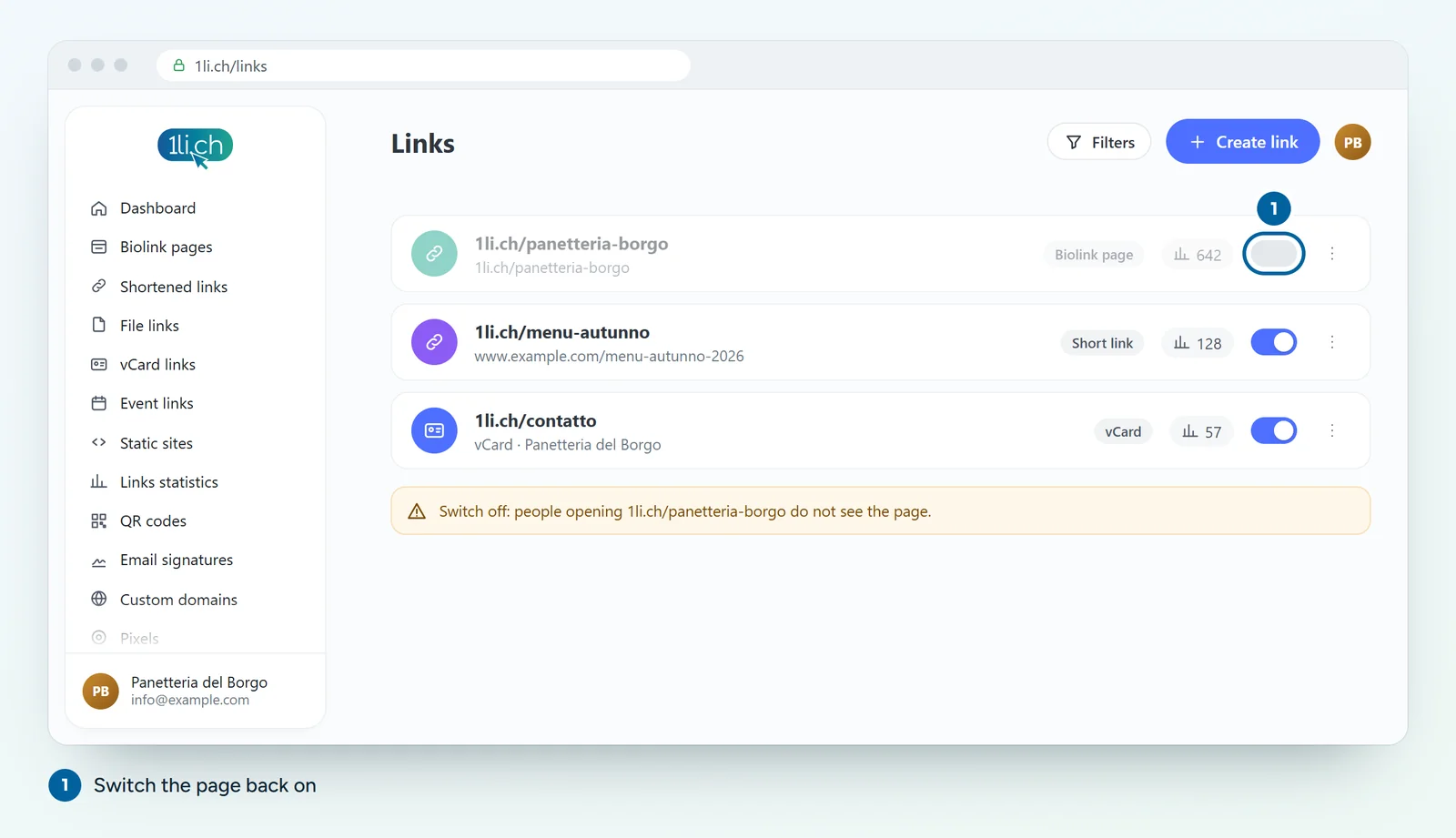
land1) is enough to cause an error. - Is the page switched on? In the Links list, look at the page’s switch. If it is off, the page is not visible: switch it back on.
- Did you change the alias? If you changed the last part of the address, the old address no longer works, and neither do the QR codes and flyers that use it. Put the old alias back or update every place where you published it.
- Is there a password? If you turned on the password in the settings, visitors have to enter it. It is not an error, but many people think it is.
- Do you use a custom domain? If the page is on your own domain, check that the DNS record is still correct. Also watch the «Link page exclusive to this custom domain» option: when it is on, the page only opens with your domain and not with
1li.ch. - Has your plan changed? If a subscription has expired and you have more pages than your current plan allows, some features may no longer be available. Check under Account, Plan.
- Is it the browser? Try another phone, or mobile data instead of Wi-Fi. Some company networks or filters block short links.
The page opens, but something is wrong
- A block is missing: check the block’s schedule (start and end dates) and its visibility by country, device or language.
- Your changes do not show: reload the page, sometimes the browser still shows the previous version.
- A button leads to the wrong page: open the block and check the destination URL.
Still nothing?
Write to us at info@1li.ch with the page address, the phone and browser you used and, if you can, a screenshot of the error.