
You shared a short link and someone tells you it does not work? Open the link from your dashboard and go through these checks: the cause usually turns up in the first three.
The link shows an error
- Is the alias spelt right? Compare the shared address with the one in the Links list. Capitals, hyphens and similar characters (
l,I,1) are the most common traps. - Is the link active? In the Links list the switch must be on.
- Did the alias change? If you changed the alias, the old address no longer exists. Put the old one back or update the places where you shared it.
- Schedule: in the link settings check the start date (has the link not started yet?) and the end date (has it already expired?).
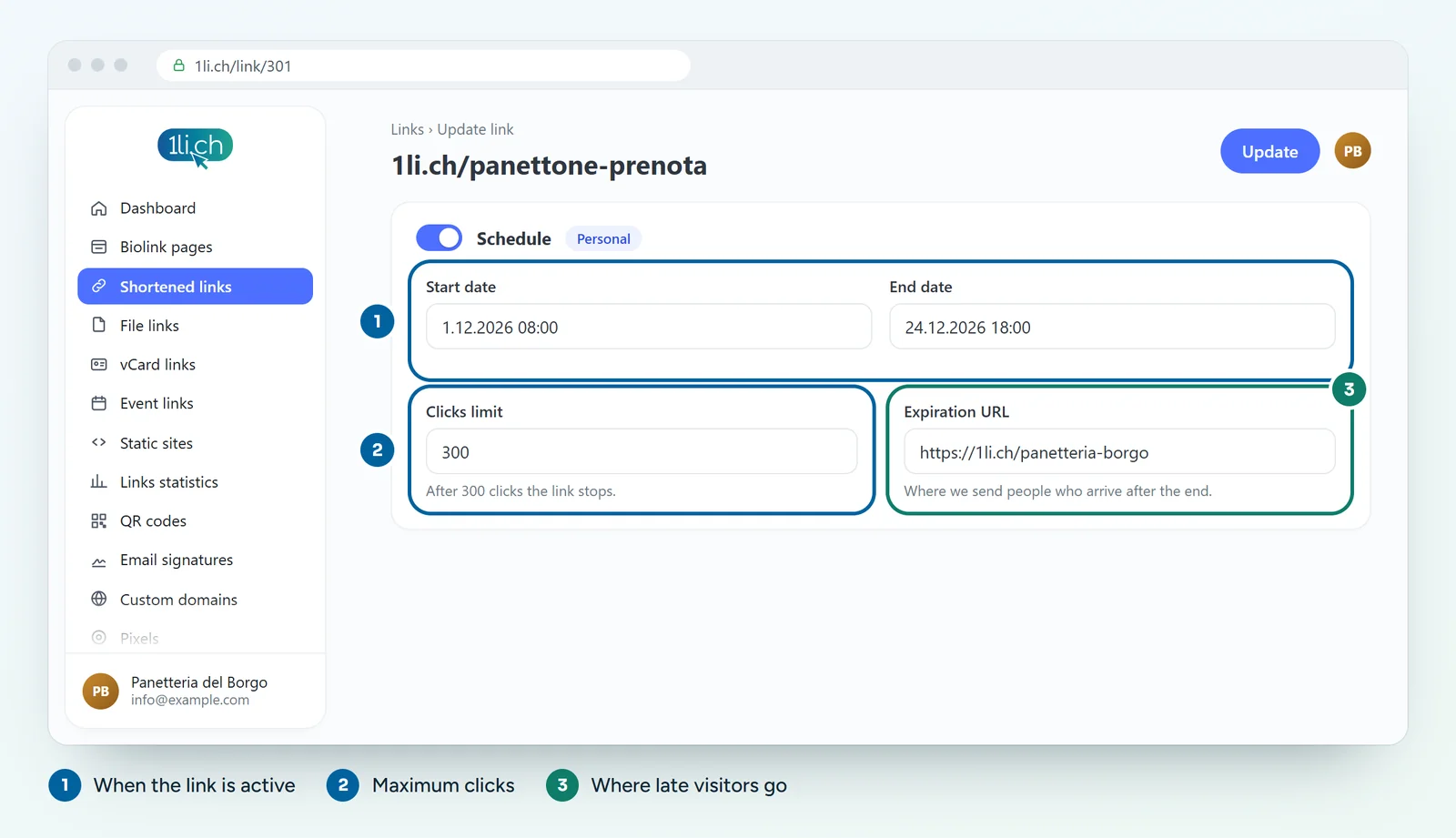
- Clicks limit: if you set a limit and it has been reached, the link stops. Raise the limit or remove it.
- Custom domain: if the link uses your domain, check that the DNS record is still correct.
The link goes to the wrong page
- Long URL: open the link settings and check the destination. Correct it and save: anyone with the short link reaches the right page straight away.
- Expiration URL: if the link has expired, visitors go to the expiration URL you set. Check that it is the one you want.
- Targeting and rotation: if you created rules by country, device or language, or an A/B rotation, different people see different destinations. That is intended, but it can be surprising.
- Splash page: if a splash page is attached to the link, an in-between page appears before the destination.
The link asks for a password or shows a warning
- Password: if you turned it on, visitors have to enter it. Share it together with the link, or remove it.
- Sensitive content warning: if it is on, visitors have to confirm before continuing.
So it does not happen again
- Never change the alias of a link you have already shared or printed.
- When you schedule an end date, always set a useful expiration URL, for example your biolink page.
- Exclude your IP from the statistics in your account preferences, so your tests do not count as clicks.
In your plan
| Feature | Free | Personal | Business | Agency |
|---|---|---|---|---|
| Change the destination | yes | yes | yes | yes |
| Scheduling, click limit, expiration URL | no | yes | yes | yes |
| Password | no | yes | yes | yes |
| Targeting and A/B rotation | no | no | yes | yes |
See plans and pricing.