
When a QR code does not work there are two very different cases: the phone cannot read it (a printing problem), or it reads it but opens the wrong page or an error (a link problem). Work out which one you have and go to the right section.
The phone cannot read the code
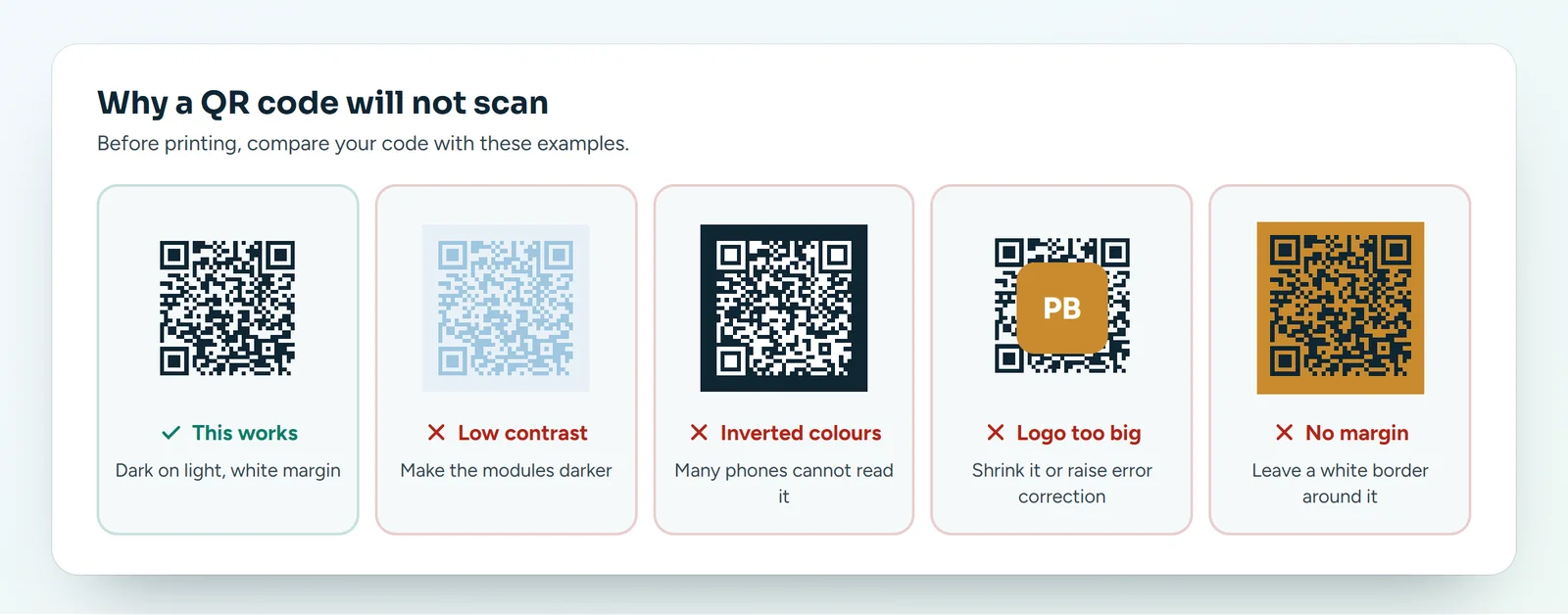
- Contrast: light modules on a light background, or inverted colours (light on dark), confuse many phones. Create the QR code again with dark modules on a light background.
- Size: the side should be at least one tenth of the scanning distance. Below 2 cm it is almost always too small.
- Logo too big: it covers too many modules. Shrink it or raise the error correction.
- No margin: the code needs clear space around it. If it touches an edge or a photo, move it.
- Print: smudges, shiny paper reflecting the light or a fold across the code. Do a new test print.
- Pixelated file: a small PNG blown up becomes blurry. Use the SVG.
The QR code scans but leads to an error
If your QR code is dynamic or points to a short link, the problem is almost always in the link.
- Scan the QR code and look at the address that opens.
- Open the Links list in your dashboard and find the short link with that alias.
- Check that it is active (switch on).
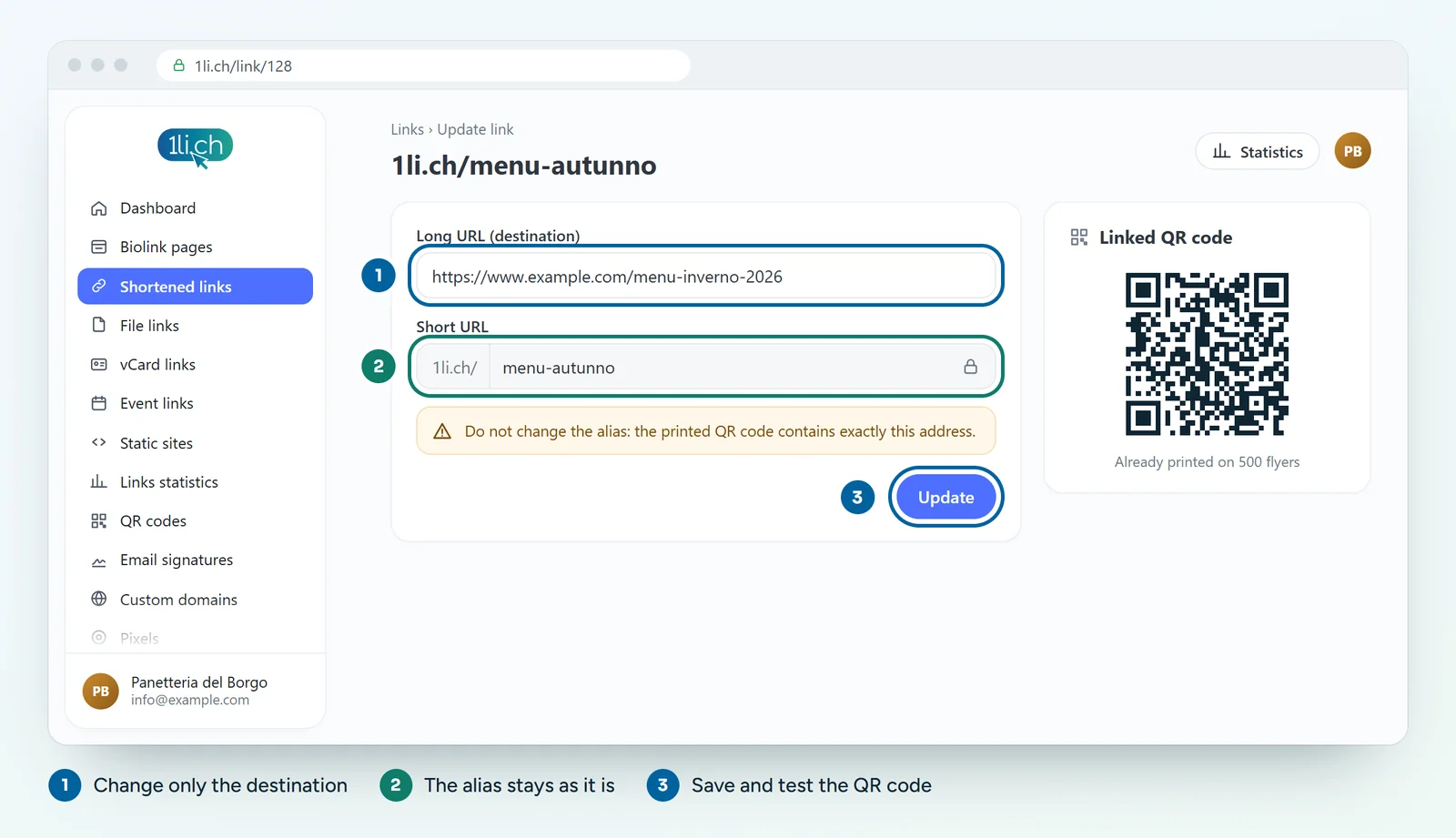
- Check that the alias has not changed: the printed QR code contains the old address.
- In the link settings, look at the schedule: an end date in the past or a reached click limit stop the link.
- Check the long URL: if the destination site has moved or is offline, update the destination and save.
If you deleted the link or changed the alias
Create a short link with exactly the same alias as before and the right destination: the printed QR code works again. If another link already uses that alias, free it first.
A static QR code already printed with a wrong address
A static QR code contains the final address itself: it cannot be corrected from 1li.ch. You can only reprint, this time with a dynamic QR code, or stick a label with the new code over the old one.
Prevention
- Always test a printed copy with two phones before the print run.
- Use a dynamic QR code for printed material.
- Write the short link under the QR code too, for people who cannot scan.