
A biolink page has one job: to be the link in your social profile. Here is where to paste it in each app. Social apps often rename and move their menus: if you cannot find the exact item, look for «Edit profile» and the website or links field.
First: copy the page address
- Open the Links list in your dashboard.
- Copy the address of your biolink page, for example
https://1li.ch/village-bakery.
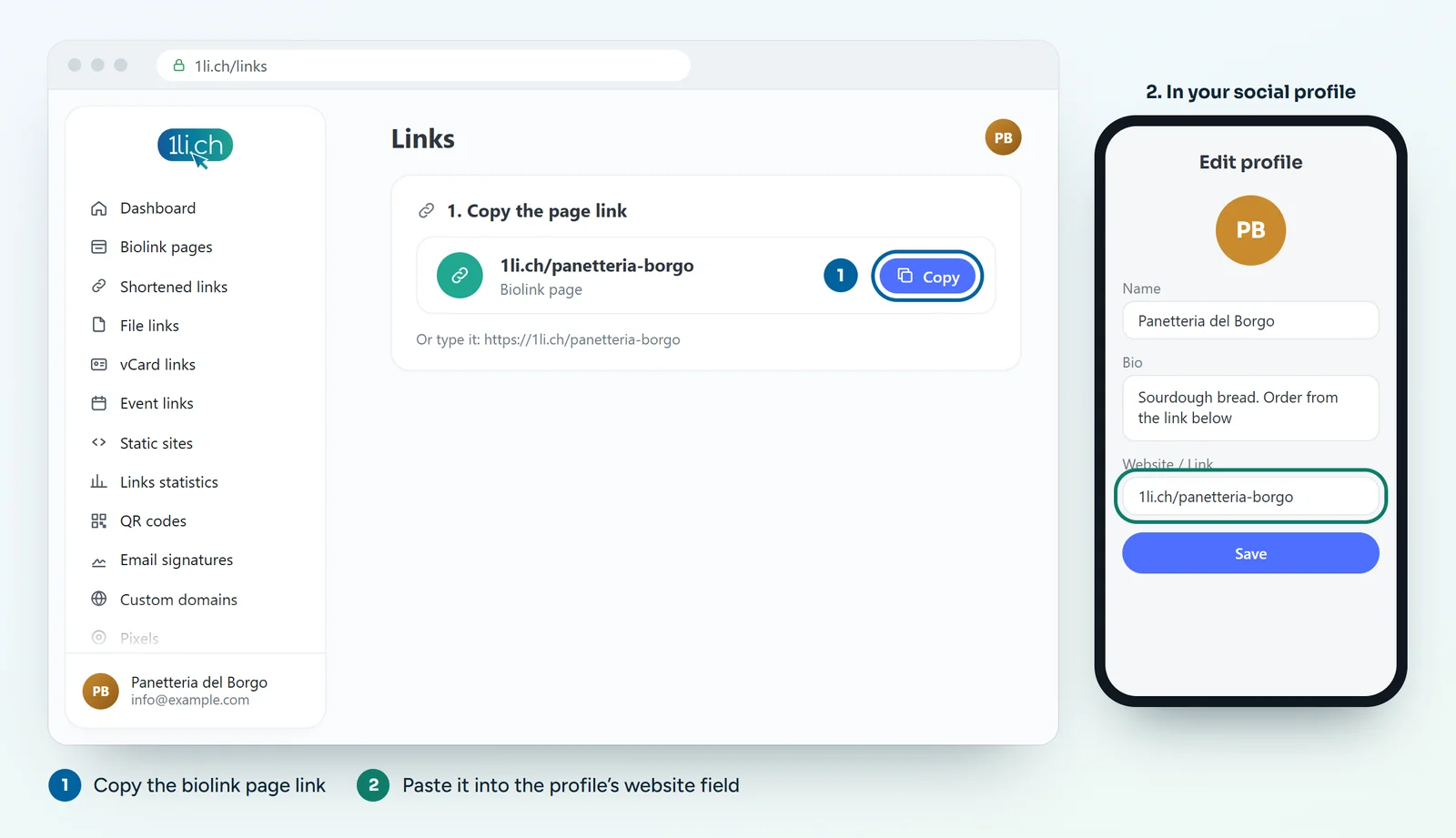
- Open your profile and tap Edit profile.
- Tap Links, then add an external link.
- Paste the address, give it a title (for example «Orders and opening hours») and save.
TikTok
- Open your profile and tap Edit profile.
- Paste the address into the website field and save.
If there is no website field, your account does not have it yet: it usually needs a business account or a certain number of followers. Meanwhile, write the short address in your bio, for example «1li.ch/village-bakery».
Facebook (page)
- Open your page and go to the page information or details.
- Paste the address into the Website field and save.
- If you like, point the page’s action button to the same address too.
- Open your profile and click the pencil to edit your intro.
- Add the website in your contact information, or use the custom link shown in your intro.
- For a company page, enter the address in the page’s website field.
Writing a bio that gets clicks
- Say what people will find: «Orders, opening hours and directions» works better than «All my links».
- Share the link in posts and stories too when you talk about something that is on the page.
- Use the same address everywhere: the statistics then tell you how many people come from social media overall.
Want to know which network brings the most visits?
In the page statistics, under referrers, you see where the clicks come from. Some apps do not pass on where the visit came from: in that case, create a different short link for each network, all pointing to the same page.