
Do you already have a page on Linktree or a similar service and want to move to 1li.ch? There is no automatic import, but with a list of your links you can rebuild everything in about twenty minutes. The secret is the order: first prepare the new page, then change the link in your bio, and only at the end close the old one.
1. Make an inventory
- Open your current page on your phone.
- For each button, note the text and the destination address (press and hold it, then copy the link).
- Note your social profiles, photo and description too.
- If you have statistics, check which buttons get the most clicks: they go at the top.
2. Rebuild the page on 1li.ch
- In your Dashboard click Create link and choose Biolink page.
- Pick an alias close to the name you used before, so people who know it can find you.
- In the Blocks tab add the Avatar, a Heading and a Paragraph with your description.
- For each link in your inventory add a Link button block with the same text and the same destination.
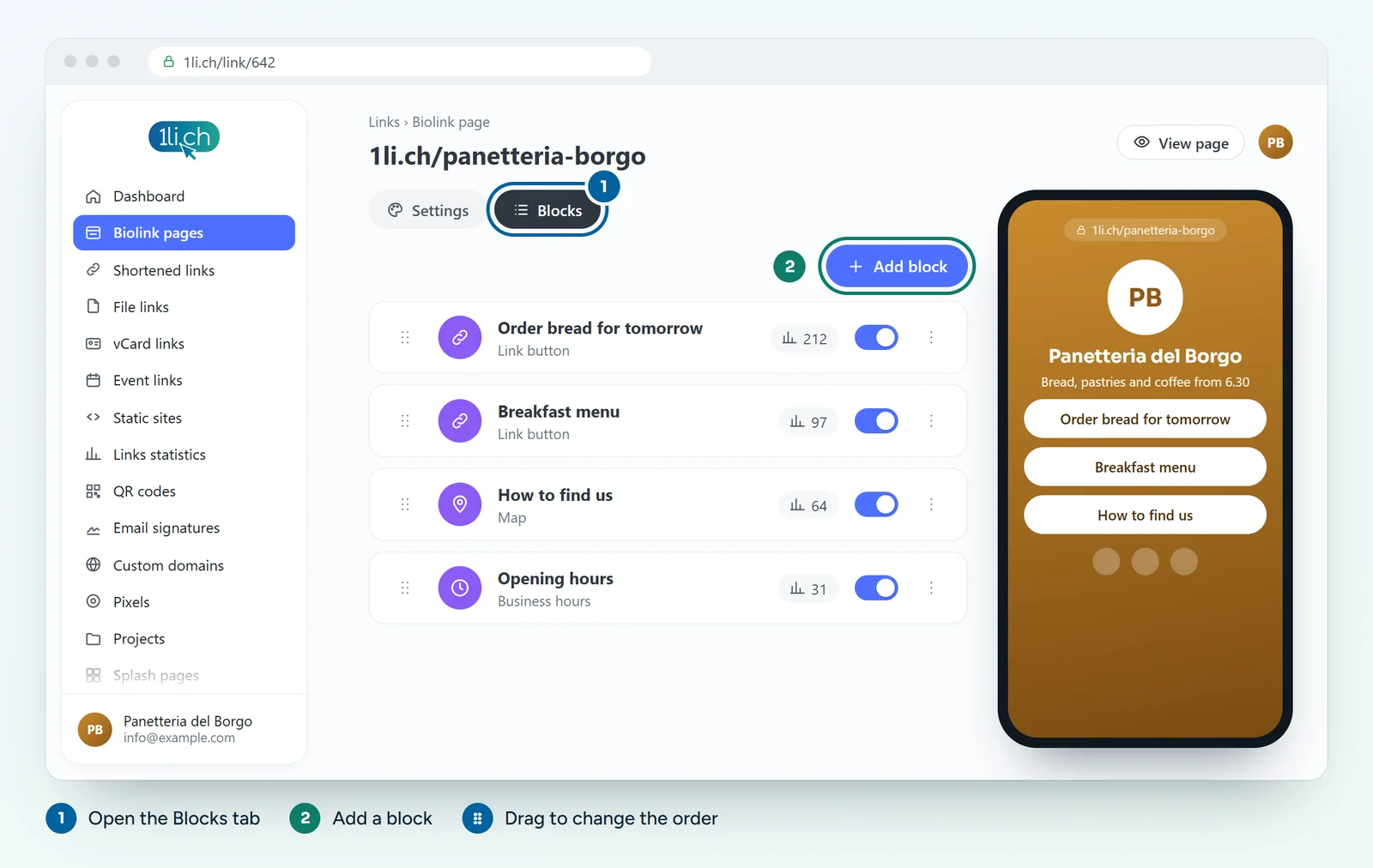
- Add the Socials block with your profiles.
- In the Settings tab choose a theme, colours and background.
3. Check before you switch
- Open the new page on your phone and tap every button.
- Compare it with your inventory: any link missing?
4. Change the link everywhere
- Replace the old link in your Instagram, TikTok, Facebook and LinkedIn bio with your 1li.ch address.
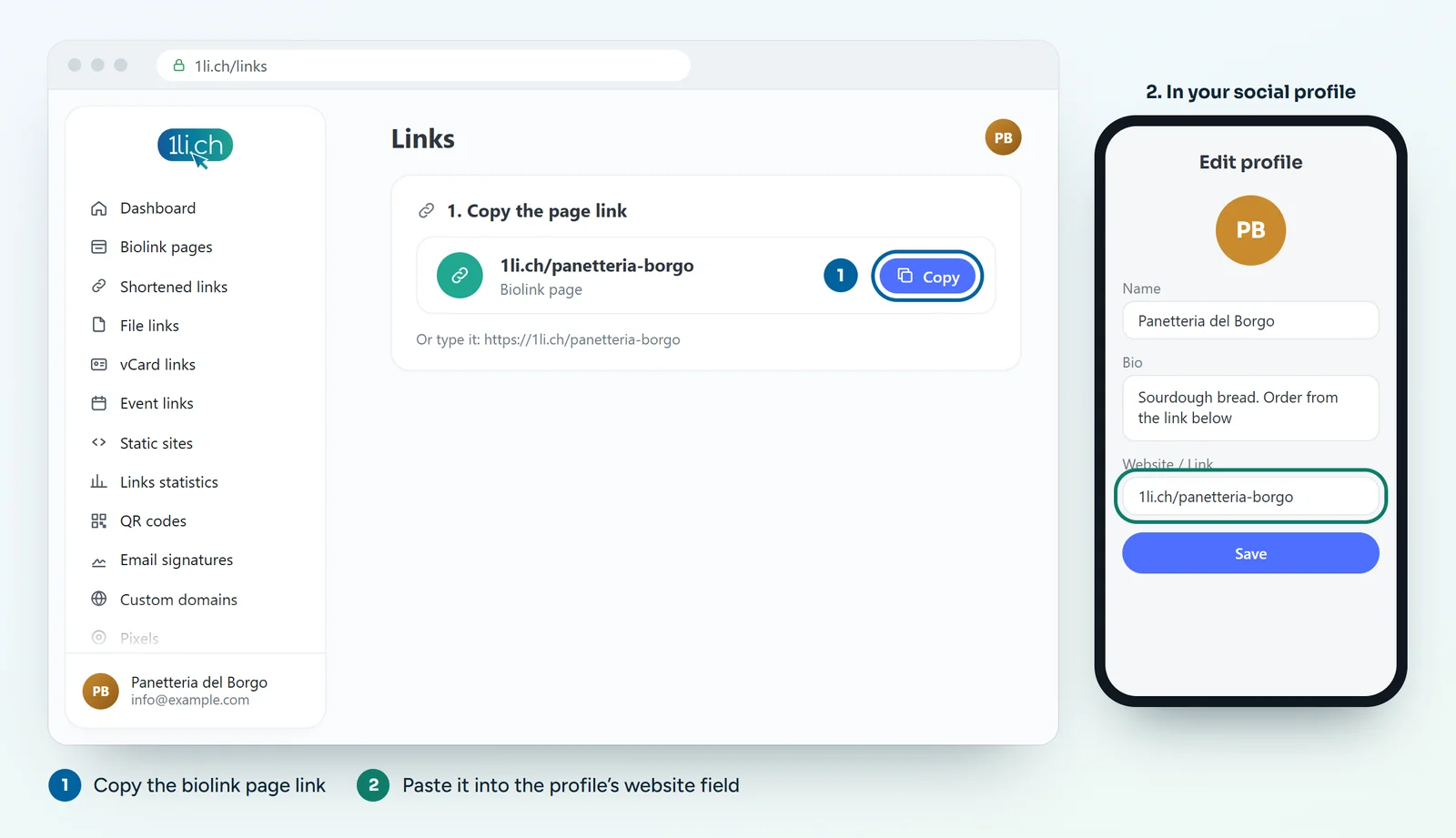
- Update your email signature, your website and your Google business profile.
- Printed material with the old QR code? It keeps working as long as the old page stays online. Use the 1li.ch page QR code for your next print run.
5. Close the old page, calmly
Keep the old page active for a few weeks. If the service allows it, add a «We have moved» button at the top that leads to your 1li.ch page. Then close it.
What else you get on 1li.ch
- QR codes with your logo and colours, dynamic ones too.
- Short links, vCards and links to events and files in the same account.
- From the Business plan, your own domain instead of 1li.ch.
In your plan
| Feature | Free | Personal | Business | Agency |
|---|---|---|---|---|
| Blocks per page | 10 | ∞ | ∞ | ∞ |
| Preset themes | no | 22 | 22 | 22 |
| No ads | no | yes | yes | yes |
If your current page has a lot of links, consider Personal. See plans and pricing.