
When you have lots of links, QR codes and biolink pages, or when several of you work on them, you need a bit of order and a way to share. On 1li.ch you have two tools: projects, coloured folders to group what you create, and teams, so colleagues or clients can work on the same account without sharing the password.
Creating a project
- Sign in to 1li.ch and open Projects in the Dashboard menu.
- Create a new project and choose its name and colour, for example «Season 2027» in blue or «Rossi client» in green.
- Save.
- Open a link, a QR code or a biolink page, choose the project in the Project field and save.
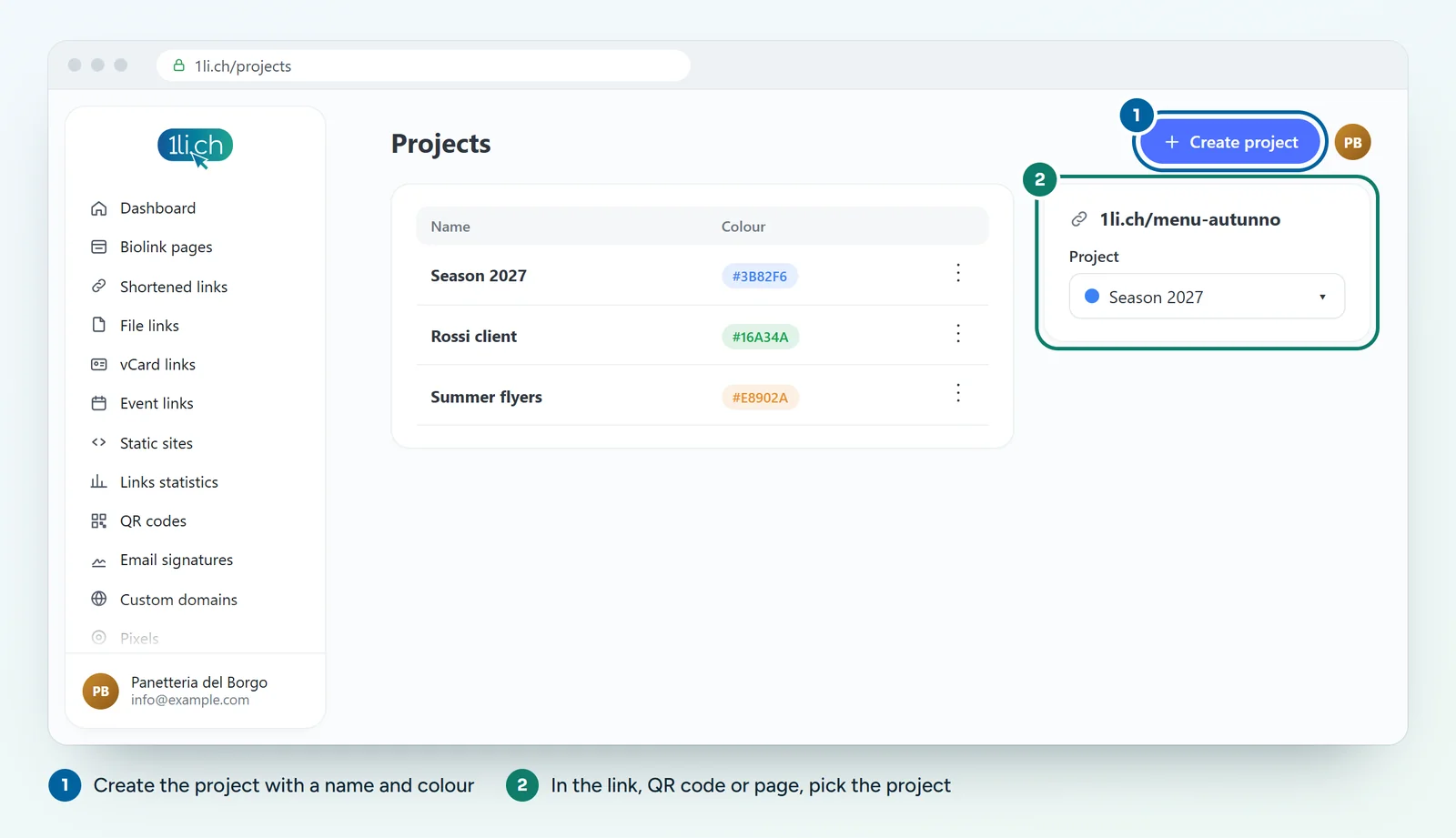
In the Links list and in QR codes you can then filter by project and find everything in a moment.
Working as a team
- Open Account and then Teams.
- Create a new team, for example «Marketing office» or «Committee».
- Invite collaborators using their email address.
- Each collaborator accepts the invitation from their own 1li.ch account and from then on works on the team’s content.
Ideas for staying organised
- Associations: one team for the committee, one project for each event or season.
- Companies: one project per department or per campaign, with a colour you can recognise.
- Agencies: one team for each client, so each client sees only their own links and pages.
Tips
- Do not share your password: invite people to the team. When someone leaves, you simply remove them from the team.
- Clear names: a «Miscellaneous» project soon turns into an overflowing drawer. Names tied to a specific purpose work better.
In your plan
| Feature | Free | Personal | Business | Agency |
|---|---|---|---|---|
| Projects | no | 3 | 10 | 250 |
| Teams | no | no | 10 | 50 |
| Team members | no | no | 50 | 250 |
See plans and pricing.