
Every biolink page, short link, file, vCard or event you create on 1li.ch records its visits. The statistics tell you how many people opened the link, where they came from and which device they used, so you can see which flyer, post or newsletter really worked. If the link is connected to a QR code, the link statistics also show you the QR code scans.
- Sign in to 1li.ch and open the Links list. Next to each link you will see the chart icon with the number of views: this is the quick summary.
- For detailed statistics, click the chart icon, or open the options menu (the three dots) and choose Statistics.
- By default you see the last 30 days. To change the period, click the calendar at the top right.
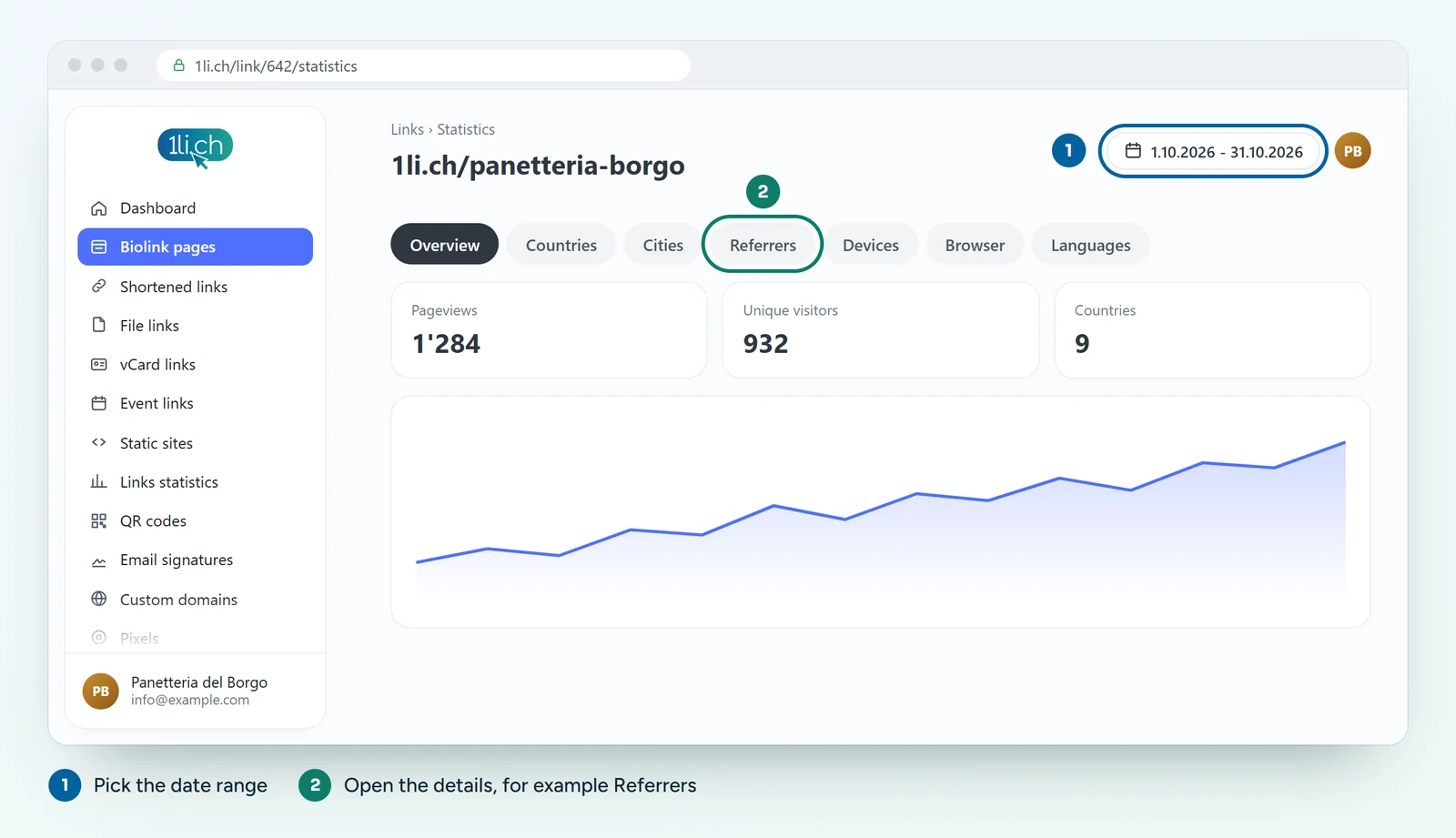
- Use the buttons at the top of the page to see the details: countries, cities, referrers, devices and the other data.
- For an overview of all your links, open Links statistics in the Dashboard menu.
What the statistics measure
- Visits and clicks: how many times the link or the page was opened.
- Country and city: where your visitors come from.
- Device, operating system and browser: phone or computer, iPhone or Android, Chrome or Safari.
- Language: the language set in the visitor’s browser.
- Referrer: the website or app the click came from, for example Instagram or your newsletter.
Reading the numbers usefully
- One link per channel: if you use different links for your flyer, Instagram and newsletter, you can compare the channels at a glance.
- Empty referrer: visits from QR codes, messaging apps or links typed by hand often have no referrer. This is normal.
- Exclude your own visits: in your account preferences you can exclude your IP address from tracking, so your own tests do not inflate the numbers.
- Email reports: in the options of the link or biolink page you can turn on monthly email reports.
Resetting the statistics
Next to the calendar you will find the Reset button, which deletes all the statistics for that link. This cannot be undone: deleted data cannot be recovered. If you need the data, export it first.
In your plan
| Feature | Free | Personal | Business | Agency |
|---|---|---|---|---|
| Statistics | yes | yes | yes | yes |
| Statistics kept for | 1 month | 6 months | 1 year | 2 years |
See plans and pricing.