It is ten in the evening, the guests at your holiday home in Valle di Blenio have just arrived and they message you: where is the key? Half an hour later: what is the Wi-Fi password? The next morning: where can we buy bread, is there a bus to Olivone, how does the rubbish work? All fair questions. The problem is that every guest asks them, one by one, often while you are having dinner or working.
The laminated folder with instructions on the kitchen table helps, but nobody reads it before arriving and it goes out of date quickly. A guest page, sent with the booking confirmation and opened with a QR code at the entrance, does the same job better: it is read on the phone, you update it in a minute and it answers for you. Let’s look at what to put on it and what not to.
The questions everyone asks
Before writing the page, go through your chats with last season’s guests and note the questions that keep coming up. Usually they are these:
- What time can I arrive, and what if I arrive late?
- Where do I park, or where is the nearest stop?
- How do I get in, where do I find the keys?
- What is the Wi-Fi network?
- How do the heating, dishwasher and fireplace work?
- Where do I put the rubbish and how is it sorted?
- Where can we eat well nearby, what can we do when it rains?
- What time do I have to leave the house and what do I need to do before leaving?
Every question on this list is a section of the page. If a question comes up often and is not on the page, add it.
How to build the page
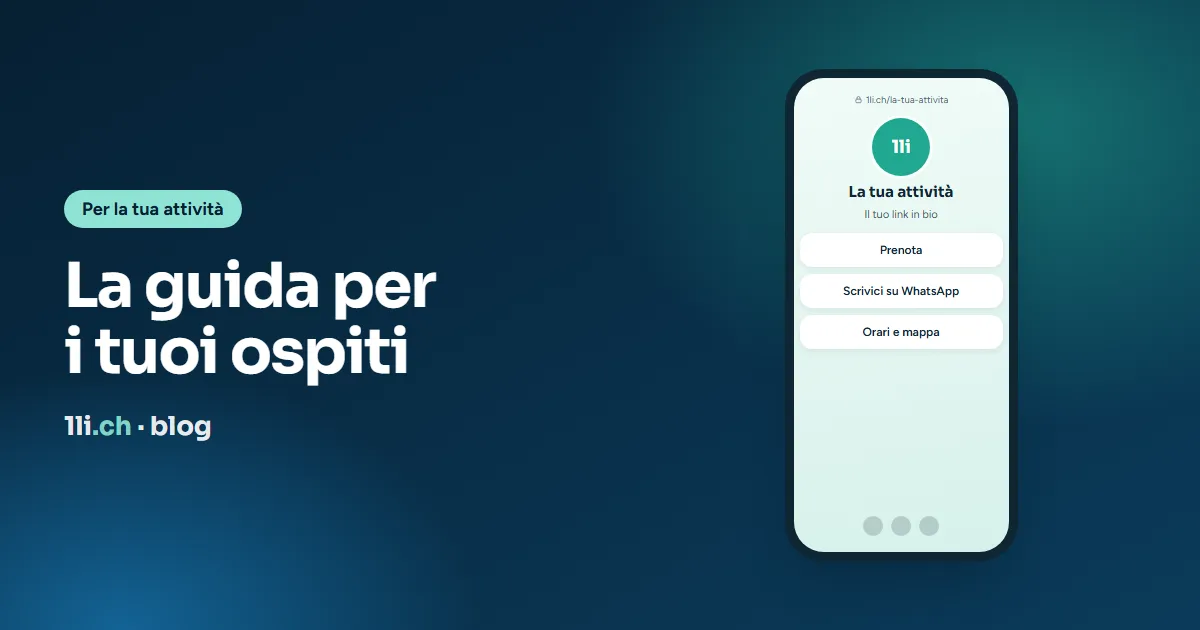
A bio link page works well because it is made of buttons and short blocks, perfect for a small screen. An order that works:
- Arrival: check-in times, what to do if you arrive late, how to reach the house by car and by public transport, with a button to the map.
- The house: short instructions for the appliances that raise questions. For the long ones (the fireplace, the pellet stove), prepare a PDF and link it with a file link.
- Rules and rubbish: pets, smoking, noise after a certain time, and how rubbish collection works in your municipality, with the days and the collection point. For people from elsewhere it is the most awkward question to ask.
- The area: your personal tips. The bakery, the grotto where you eat well, the easy walk for children, plan B for a rainy day. It is the part guests love most, because they will not find it in any guidebook.
- Public transport: the nearest stop, the line to the village or the station, and a link to the official timetable instead of times copied by hand, which change.
- Departure: check-out time, where to leave the keys, what to do with bed linen and rubbish.
- Contacts and emergencies: how to reach you, with a WhatsApp button, and the Swiss emergency numbers (144 ambulance, 117 police, 118 fire brigade, 1414 Rega).
For the WhatsApp button, use a pre-filled message such as “Hi, we are the guests in room …”, so you know straight away who is writing: we explain this in WhatsApp link for your business.
What not to put on a public page
A bio link page can be reached by anyone who has the link. That is why some information does not belong on it:
- The code for the key box or the door: send it privately, on the day of arrival.
- The exact address together with the dates when the house is empty. Give the area and send the exact address with the confirmation.
- The Wi-Fi password: the risk is small, but it is cleaner to put it on the card in the house. Alternatively, from the Personal plan you can protect a link with a password that you give only to your guests.
One page per language
In Ticino, guests come from German-speaking Switzerland, from Romandy, from Italy and from further afield. Translating everything on a single page makes it very long. Better one page per language, with the same structure, and the buttons “Italiano”, “Deutsch”, “Français”, “English” at the top. From the Personal plan you have several bio link pages, so you can do this without any trouble. You do not need a perfect translation: short, clear sentences are worth more than an elegant style.
Where to send your guests
- In the booking confirmation, with the link: guests who open it before leaving arrive already knowing where to park.
- With a QR code at the entrance, on the fridge door or next to the router. An A5 card with the QR code and the words “Everything you need about the house” is enough.
- In the welcome message on the day of arrival, together with the key code.
Put the QR code on a matt card big enough to read without getting too close, as explained in how to print a QR code. And point it to the page, so you never have to reprint it.
Updating it during the season
The advantage over the folder is that the page can be updated in a minute. Road closed for works? Write it at the top. The grotto you recommend is closed for holidays? Remove it. Is there a summer festival or an open-air concert in the village? Add a button: your guests will be grateful for the tip, and they may well come back the following year. The page statistics also show you which buttons are opened most, so you understand what really interests people.
This page is for people who have already booked. To be found by people looking for somewhere to stay, other things matter, starting with your Google listing, which we talked about in Google listing and bio link page. More ideas for anyone working with guests are on the page dedicated to tourism.
In short
Collect the questions everyone asks you, turn them into short sections and put them on a guest page: arrival, the house, rules and rubbish, tips about the area, public transport, departure and contacts. Leave out key codes and the exact address, make one page per language, send the link with the confirmation and put a QR code at the entrance. Fewer messages at ten in the evening, more relaxed guests and a house that explains itself. Create your free page
Frequently asked questions
Can I put the Wi-Fi password on the page?
Better not on a public page. Put it on the card in the house, or in a password-protected link, available from the Personal plan.
How do I make a page in several languages?
The simplest way is one page per language, with buttons at the top to switch between them. From the Personal plan you have several bio link pages.
Can I update the page during the season?
Yes, you edit it from your phone whenever you want: the QR code in the house and the link in the confirmations stay the same.