You have organised a cooking class in your grotto in Gordola, eight places, and everyone told you “yes, I’m in, I’ll send you a bank transfer”. A week later three payments have arrived, two people have asked you for your bank details again and the rest have vanished. On the day of the class you don’t know how much food to buy. The same happens with an association’s membership fees: you chase members for months, with reminders, IBANs read out over the phone and Excel sheets to check.
The problem isn’t willingness to pay, it’s the effort. If paying means opening the banking app, copying an IBAN and writing a reference, many people put it off. If one tap on a button is enough, they pay straight away. In this article we look at how to collect payments directly from your bio link page with 1li.ch, and how to add TWINT with 1pay.ch.
How payments work on your bio link page
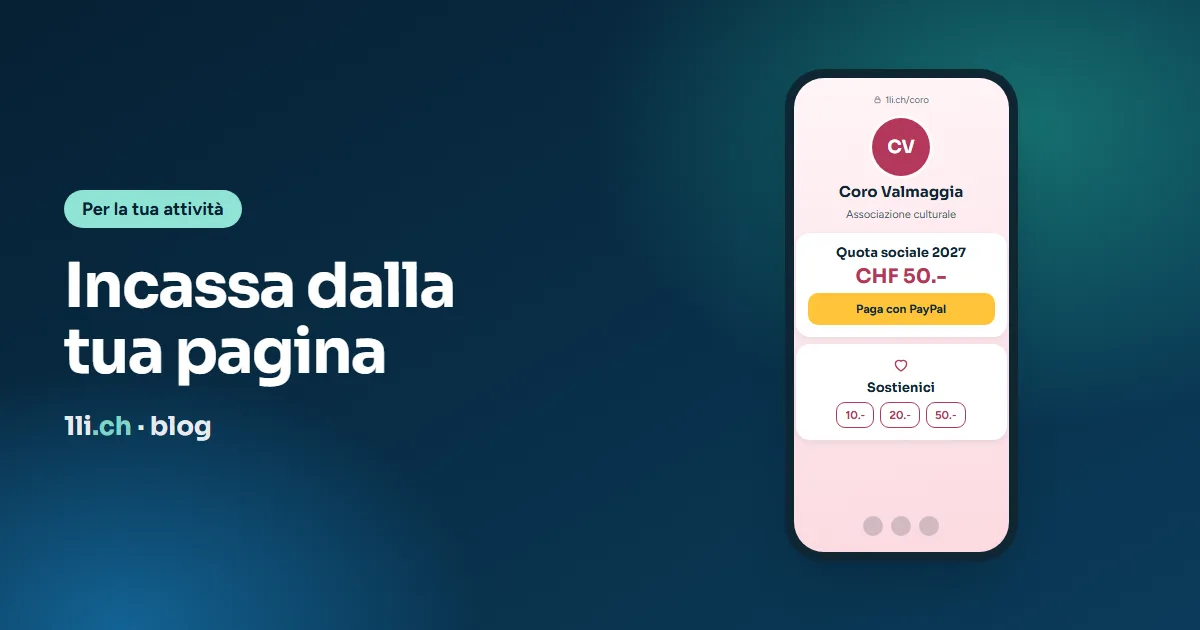
On your bio link page you can add payment blocks, just as you add a button or a link. Visitors tap the block, pay, and that’s it. It works on three simple principles:
- You connect your own payment provider. You don’t use an account of ours: you connect your account with the provider you prefer.
- The money goes straight to you. The payment lands in your account with your provider, without passing through us.
- We don’t take any fees. 1li.ch takes no percentage of your takings. You only pay for your plan and any fees charged by the provider you have chosen.
You will find all the details on the page dedicated to payments.
What you can collect on each plan
The payment blocks available depend on your plan:
- Free and Personal: the PayPal block and donations. Perfect for a membership fee, a contribution for the village festival or a free-will offering for the church concert.
- Business and Agency: as well as PayPal and donations, also products and services. Useful if you sell a course, a gift voucher, a box of vegetables or a consultation.
Personal costs CHF 5.- a month and removes the ads, Business CHF 19.- a month. The full comparison is on the pricing page, with a 14-day free trial on paid plans.
Which providers you can connect
You choose who to collect payments with. Today you can connect these providers:
- PayPal
- Stripe
- Mollie
- Razorpay
- Paystack
- Crypto.com
- Plisio
- offline payment
If you already have a PayPal or Stripe account for your business, just connect it. The terms and fees are those of your contract with the provider: we don’t add anything.
What about TWINT? 1pay.ch takes care of it
In Switzerland many people prefer to pay with TWINT or a Swiss card. That’s what 1pay.ch is for, the Swiss payment collection service that belongs to our own family of products. It’s important to be clear: 1li.ch is not directly connected to 1pay.ch and cannot collect TWINT payments on its own. But the way it works is simple:
- On 1pay.ch you create your payment link, with TWINT and Swiss cards.
- On your bio link page you add a button with that link, for example “Pay with TWINT”.
- Whoever taps the button reaches the 1pay.ch payment page and pays the way they are used to.
You can also keep both options: PayPal or Stripe on your bio link page for those who prefer them, and the 1pay.ch button for those who want to pay with TWINT. You will find the 1pay.ch fees on its website.
An example: the brass band’s membership fees
Imagine a brass band in the Locarno area with about a hundred members. Every year the treasurer spends months reminding people who have forgotten their fee. This year he sets up the band’s bio link page: at the top the spring concert, with an event link; below it the “Pay your membership fee” button leading to the TWINT payment link created on 1pay.ch; then a donations block for those who want to support the purchase of new instruments; at the bottom the season programme as a PDF.
The treasurer sends the link to the members’ WhatsApp group and prints a QR code on the letter inviting them to the general meeting. Whoever receives the letter scans, taps, pays. With the statistics he sees how many people opened the page, and on the bank account he sees who has already paid. You will find more examples for clubs on the page for associations, and if you are organising an event, read QR codes for events and associations.
A payment button in your bio too
If you sell through Instagram, a bio link page with payments is the piece that is often missing. People who see your post about Christmas biscuits or your next course tap the link in bio, read what you offer and pay without sending you a private message. We explain how to build that page properly in link in bio on Instagram. And if you want the link to carry your business name, you can use your own domain from the Business plan: you will find everything in your bio link page on your own domain.
How much it costs
The maths is simple. You pay for your 1li.ch plan (free for PayPal and donations, CHF 19.- a month from Business for products and services) and the fees of the provider you have connected, or those of 1pay.ch if you use TWINT. On every payment, 1li.ch keeps nothing.
In short
A payment button on your bio link page turns “I’ll send you a bank transfer” into a payment made on the spot. You connect your provider (PayPal, Stripe, Mollie and the others), the money goes straight to you and we take no fees. For TWINT and Swiss cards, add the 1pay.ch payment link. Set up your page and your first button today: Create your free page.
Frequently asked questions
Does 1li.ch take a fee on payments?
No. You only pay for your plan and any fees charged by the payment provider you connect.
Where does the money go?
Straight to your account with the provider you have connected (PayPal, Stripe, Mollie and the others), without passing through us.
Can I collect TWINT payments from my bio link page?
Yes, through 1pay.ch: you create the payment link on 1pay.ch and add it to your page as a button. 1li.ch is not directly connected to 1pay.ch.
Can I sell products on the Free plan?
No. Free and Personal have the PayPal block and donations; products and services are included from the Business plan.