You’ve just finished your set at the summer festival in the square. Someone comes over while you’re packing up: “Great show! Where can we listen to you? When are you playing again?” You tell them the band’s name, they look it up on Instagram, find the profile, tap the link in bio and land on a track from two years ago. The new dates are in a story that has expired, nobody knows where to buy the merch, and the person organising the village fair next door, who wanted to get in touch, can’t find a contact.
For a musician, a band or an artist, the link in bio works harder than for almost anyone else, because people discover you live and look you up afterwards, phone in hand. Let’s see how to build a page that turns that moment into one more listen, one more ticket or one more gig.
Who opens your page and what they’re looking for
Not everyone who taps the link wants the same thing. There are three different audiences:
- People who have just heard you want to listen again and follow you: latest release, platforms, social media.
- People who already follow you want to know when you’re playing and maybe buy a T-shirt or a record.
- Organisers (festivals, venues, festival committees, couples getting married) want to work out quickly whether you’re right for them and how to contact you.
A good page serves all three without turning into an endless list. The trick is the order.
The order of the buttons changes with the season
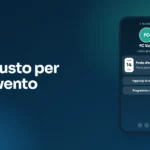
Put what matters right now at the top. When a new track comes out, the latest release goes first. During the summer gig season, the next dates go first. In the months when you’re looking for bookings for the following year, the section for organisers moves up. You can reorder a bio link page from your phone in a minute, and it’s worth doing: a page that looks alive suggests a project that’s alive.
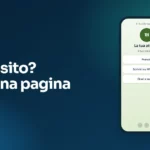
A basic layout that works: latest release, upcoming gigs, listen on (one button per platform), merch and support, for organisers, social media.
Listening: one fixed link for the latest release
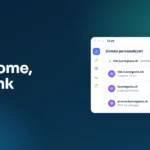
Every time a track comes out, the link changes: in your Instagram bio, in the YouTube description, on the back of the record, in your email signature. Updating them all is a chore nobody really does. The solution is a fixed short link, with a name like “latest track”, that you use everywhere. With each release you only change where it points, and everything you’ve already published or printed leads to the new track.
For streaming platforms, add one button for each, clearly named. They don’t all need to be at the top: look at where your audience listens to you and give those priority.
Gig dates
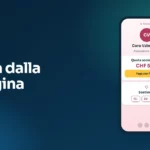
List your upcoming dates with venue, day and a button for tickets or details, if there are any. For important gigs you can create an event link, which lets anyone who opens it save the date to their calendar: people who have saved it remember it far better than people who saw a story.
A simple rule: the day after the gig, remove the past date. A page with May dates still at the top in July makes people think the band has stopped. If you’re playing at a festival, agree with the organisers to swap links: the festival page leads to you, yours leads to the line-up, as we saw in festivals and open airs with an event page.
Merch and a digital tip jar
Many small music projects live on merch and donations. On your page you can add payment blocks by connecting your own provider, such as PayPal: the money goes straight to you and 1li.ch takes no commission. A “Buy us a beer” or “Support the next record” button works well, especially on the night of the gig, when people who heard you are still excited. All the details are on the payments page.
A section for organisers
Anyone looking for a band for a party, a wedding or a venue is short on time and wants three things: to hear how you sound live, to understand what you need, and to contact you. Prepare a small section with:
- a live video, even one recorded on a phone, as long as the sound is good;
- your press kit as a PDF, with photos, a short bio and line-up, linked with a file link;
- your technical rider, so the sound engineer knows what to expect;
- a direct contact, ideally with a ready-made WhatsApp message (“Hi, we’d like to know if you’re free on …”), as explained in WhatsApp links for your business.
The QR code on stage and on your merch
At a live show, the QR code is the shortest bridge between the stage and people’s phones. Put it on the bass drum head, on the backdrop behind the stage, on the merch table, on the back of your T-shirts or on the record label. Make it big: people in the crowd scan it from a few metres away, so a code just a few centimetres wide won’t do. The right sizes and the materials to avoid are in how to print a QR code.
If you want to know which night worked best, use a different short link for the QR code at each gig or festival: in the statistics you can see how many visits each one brought. More ideas for people who create content and perform are on the page for creators.
In short
People discover you live and look you up later, on their phone. Give them a page with your latest release behind a fixed short link, upcoming dates that are always up to date, merch and a digital tip jar, and a clear section for organisers. Change the order of the buttons with the season and take the QR code on stage. That way, someone who heard you one evening becomes someone who listens to you, follows you and maybe books you for the next party. Create your free page
Frequently asked questions
Can I add all the streaming platforms?
Yes, with one button for each. Put the ones your audience uses most at the top and leave the others further down.
How do I change the link to my latest release without touching my bios?
Use a fixed short link, for example “latest track”, and with each release you only change where it points.
Can I receive donations or sell merch from the page?
Yes, with payment blocks and a provider you connect yourself, for example PayPal. 1li.ch takes no commission on your takings.