Mid-August, a two-day open air on a meadow in the Riviera. The committee spent the spring looking for bands, sponsors and permits, and now the messages are coming in: what time does the band play on Saturday? Is there a shuttle from Biasca station? Can you pay by card at the bar? Where can I park? All the answers exist, but they are scattered: the line-up on Instagram, the shuttle timetable in a PDF passed around a WhatsApp group, the map in a photo of the blackboard. People coming from elsewhere find nothing and write to anyone with a public number.
A summer festival lives on practical information that changes right up to the last minute: a storm moves the concert under the marquee, the shuttle adds a run, a band cancels. Here we look at how to gather everything on a single page, with a QR code you can put everywhere, and how to keep it up to date even from the meadow, phone in hand.
What people really look for before they set off
Before getting in the car or on the train, people going to an open air want to know a few things, always the same ones. If you put them in order, half the messages to the committee disappear by themselves:
- The line-up, day by day, with concert times.
- Tickets: where to buy them, whether there is advance sale, whether there is a box office on the night.
- Getting there: map, car parks, shuttles from the station and the time of the last run home.
- What to bring and what not to: dogs, glass bottles, folding chairs, sun cream.
- The plan if it rains, the most frequent question after three o’clock on a muggy afternoon.
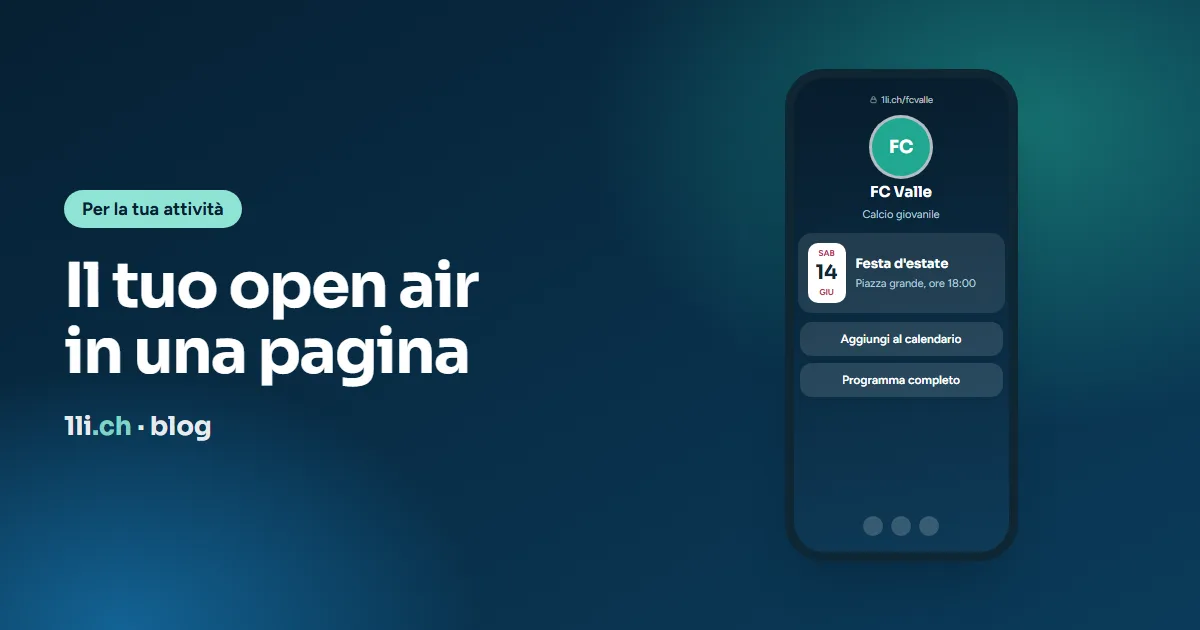
None of this fits on a poster, nor in an Instagram story that disappears after a day. It fits nicely on a bio link page: a single page made of buttons and text blocks, which opens well on a phone and which you update whenever you like.
How to build the festival page
The order of the blocks matters more than the design. At the top put what people already on their way need, further down what people still deciding whether to come need. A structure that works well:
- A short notice to keep updated (“Tonight we play, clear skies” or “9 pm concert moved under the marquee”).
- The tickets button, leading to the advance sale you already use.
- The line-up, with a button for each evening or as a PDF to download.
- The map and directions, with shuttles and parking.
- The site rules and frequently asked questions.
- The sponsors, with their logos and a link to their websites: a simple way to thank them.
- Social media and a contact for real emergencies.
For the most important evenings you can also create a dedicated event link, to share on its own when you want to push a particular concert. The page remains the reference point, the event links are the side doors around it.
One QR code, lots of places to put it
When the page is ready, you create a QR code that leads there and print it wherever your audience passes. At a festival the hot spots are different from those of a shop:
- the poster and the flyers left in the region’s bars in the weeks before;
- the entry ticket, so people who are already inside can find the line-up in a moment;
- the signs at the entrance, at the bar and at the shuttle stop;
- the tables in the food area, next to the evening’s menu;
- the stage screen, between one concert and the next.
The beauty of it is that the QR code doesn’t contain the information, it contains the page’s address. If at six in the evening you change a band’s time, the signs printed in June still lead to the right information. You will find more ideas for print in the 9 practical uses of QR codes.
Festival day: updating from the meadow
During the event nobody on the committee has time to switch on a computer, so the page has to be editable from a phone in a few taps. Before opening, decide who updates it: one person, with the login, who gets the news from the box office, the stage and the car parks. That way three different versions of the same notice don’t go round.
Prepare the texts for the most likely situations in advance, ready to paste: storm on the way, concert moved, car park full with a pointer to the second car park, last shuttle brought forward. When it happens, you just copy the text into the notice at the top of the page. Whoever scans the QR code at the shuttle stop sees the right version, not the one from half an hour earlier.
An example from Ticino
Imagine a village open air in the Blenio valley (a made-up example): two evenings, four bands a night, a marquee and a kitchen run by the gymnastics club. The committee prepares a page with a notice, tickets, line-up, shuttle from Biasca and a button for the bar volunteers. The QR code goes on the posters, on the back of the tickets and on a sign at the shuttle stop.
On Saturday afternoon the storm arrives. At five the committee writes in the notice that the first concert will start an hour late and that the kitchen will open at six anyway. Nobody has to go round all the WhatsApp groups: people about to set off check the page and find the news. On Sunday the same page shows the photos, the thank-you to the volunteers and the date of the next edition, and the printed QR code keeps on working.
Measuring what worked
Once the festival is over, the statistics tell you how many visits the page had, on which days, from which cities and on which devices. If you create one QR code for the posters and a different one for the flyers in bars, you can compare them and see which channel brought in more people. That is valuable information in winter, when you decide how much to spend on print for the next edition, and also when you go to the sponsors to tell them how many people saw their logo.
For a small festival the Free plan may be enough to start with. If you need more QR codes, one per channel, or a second page for volunteers, you will find the differences between the plans on the pricing page. More ideas for organisers are on the page dedicated to events.
In short
A summer festival always generates the same questions: times, tickets, shuttles, rain. Gathering the answers on a single page, with a QR code printed everywhere and one person in charge of updating it from a phone, saves the committee dozens of messages and gives the audience the right information at the right moment. Prepare the page a few weeks before, have a couple of friends test it, then print. Create your free page
Frequently asked questions
If I change a time after printing the posters, do I have to redo the QR code?
No. The QR code leads to your page: you update the page and the printed QR code stays valid.
Can I update the page from my phone during the festival?
Yes, the page can also be edited from a phone: you change the notice at the top and whoever opens it sees the new version straight away.
Can I see who scanned the QR code?
No. You see how many visits come in, from which countries and cities and on which device, not who the people are.