At a physiotherapy practice in Biasca, the phone rings during treatment sessions. Callers want to know if there’s a slot on Thursday, whether they need a doctor’s prescription, where to park, what to bring to the first appointment. The answering machine fills up, calls get returned at the end of the day and in the meantime some patients have called someone else. At a fiduciary firm in Lugano, in February, the same thing happens with a different question: “Which documents do I need to bring for my tax return?”
Practices and professionals often have a website, perhaps made years ago, but not a page designed for phones that answers everyday questions. A clean, understated bio link page does exactly that: contacts, appointments, forms and a digital business card all in one place, ready to add to Google, to your email signature and to a QR code in the waiting room.
What people who contact you are looking for
Whether you’re a physiotherapist, a fiduciary, a lawyer or an architect, the questions are similar:
- how do I book an appointment, and how soon can I get one?
- where are you, how do I get there, where do I park?
- what do I need to bring or prepare?
- who works at the practice and what do they do?
- which languages do you speak?
- how can I write to you if I have a quick question?
If your page answers these six questions, many of the phone calls that interrupt your work become unnecessary.
What a good practice page looks like
- At the top, your name and one clear line: “Sports physiotherapy and rehabilitation”, “Accounting and tax returns for individuals and SMEs”. No slogans: visitors want to know straight away whether you’re the right person.
- The appointment button: to the online booking system you already use, or to your phone during the hours you answer. If you prefer messages, a WhatsApp button with ready-made text (“Good morning, I’d like to book a first appointment for …”) brings you complete requests: we explain it in WhatsApp links for your business.
- Opening hours and directions, with a button to the map and two lines on parking, the bus stop and step-free access.
- Before your appointment: what to bring, forms to fill in at home, frequently asked questions.
- The team: one button for each person, leading to their digital business card.
- Contact: phone, email, address, and if you like a link to your full website.
Three concrete examples
The physiotherapy practice highlights booking and a “First session” section: what to bring, comfortable clothing, the prescription if there is one. Further down, a PDF with exercises to do at home after the sessions, which the therapist can point the patient to instead of photocopying them every time.
The fiduciary firm changes its page with the seasons. Between January and March, the list of documents to bring for the tax return and the button to book an appointment are at the top; for the rest of the year, services for businesses, accounting and general deadlines move up. The PDF list saves the most frequent phone call of the year.
The law firm focuses on clarity: areas of practice, languages spoken, how the first meeting works and what to bring. A sober tone and precise information count for more than any design, and the page becomes the starting point even for people who come on a recommendation and just want to find the number.
Forms and documents
Medical history forms, document checklists, practice terms, privacy notices: everything you print and hand out today can sit behind a file link, which clients open on their phone when they need it. When you update the form, you update the file and the button stays the same.
For documents meant only for clients, from the Personal plan you can protect the link with a password. But remember the limit: the page is there to inform, not to collect data. Medical reports, tax documents and anything containing personal or health data should never be exchanged through a public page, but through secure channels designed for that.
A digital business card for everyone
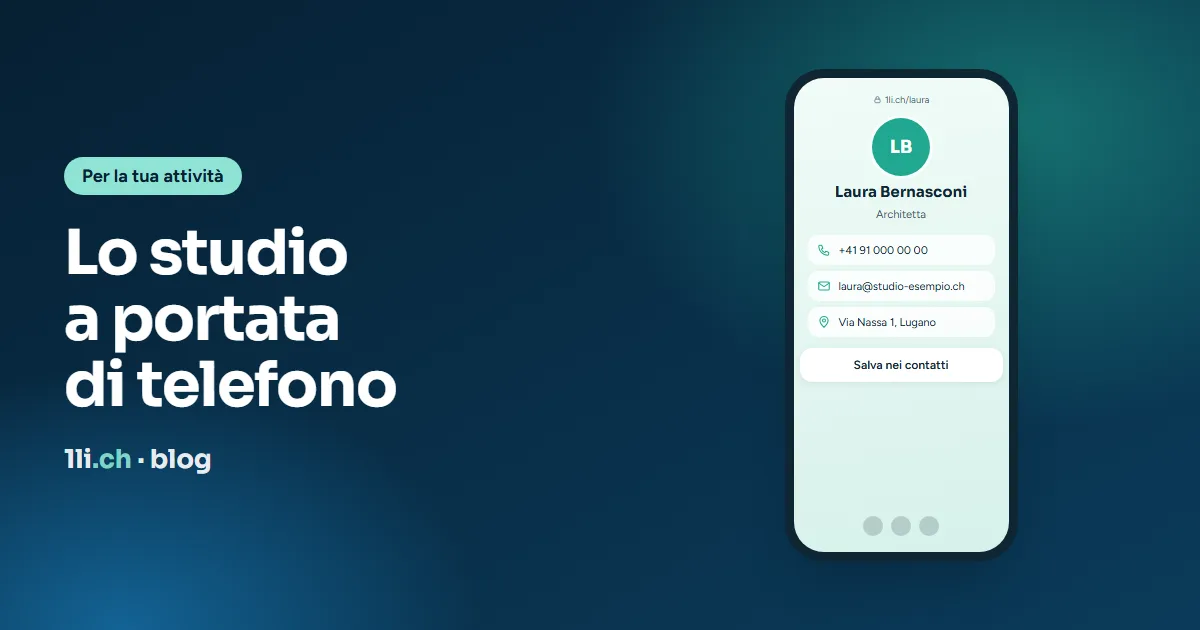
Every member of your team can have their own vCard link: whoever opens it saves the contact to their address book with one tap, without copying out numbers and addresses. Link it to the practice page and print it as a QR code on the back of your paper business card: anyone who receives it after a meeting has you in their contacts before they’re out of the door. A QR code at the reception desk or in the waiting room, saying “Save our contact details”, does the rest.
A sober style and an address that lasts
For a practice, the page should convey order: neutral colours or your brand colours, a professional photo or your logo, short texts and no unnecessary buttons. If you want a page without ads, look at the differences between the plans on the pricing page.
Put the link in your practice’s Google Business Profile, in your email signature and on your letterhead. If you want to know which of these channels brings the most visits, use a different short link for each, or UTM parameters if the link goes to your website, as explained in UTM parameters explained simply. More ideas for people who see clients by appointment are on the page for professionals, and if you’re starting from scratch you’ll find the first steps in how to create a bio link page.
In short
A bio link page for your practice answers everyday questions before they become phone calls: appointments, opening hours and directions, what to bring, forms to download, the team with each person’s digital business card. Keep it sober, update it with the seasons of your work and never use it to exchange client data. The phone will ring less during sessions, and people who do call will already know what they need. Create your free page
Frequently asked questions
Can I put downloadable forms on the page?
Yes, with a file link: clients open the PDF on their phone. If the document is confidential, from the Personal plan you can protect the link with a password.
Can I send client documents through the page?
No, it’s not the right tool: the page is there to inform. Documents with personal or health data should be exchanged through secure channels designed for that.
Can every team member have their own digital business card?
Yes, with a vCard link for each person, linked to the practice page and printed as a QR code on their paper business card.