Your phone buzzes: “Good morning”. Then nothing. Ten minutes later: “do you still have the cakes?”. Which cakes, for when, collection or delivery? Anyone running a bakery, a shop or a small practice knows these conversations in instalments well, and also knows how many people do not write at all, because first they have to save your number in their contacts, open WhatsApp, find you and come up with a sentence.
A WhatsApp link solves both problems. One tap opens a chat with you, without saving anything, and with the message already written: the customer fills in a couple of details and sends it. Let’s look at how to build one, how to write a good pre-filled message and where to put it, on your bio link page and in a QR code.
What a WhatsApp link is
WhatsApp provides a special address, wa.me, that opens a chat with a specific number. It works on the phone, where it opens the app, and on the computer too, where it goes through WhatsApp Web or the desktop app. The customer does not need to know your number by heart or add it to their contacts: they tap the link and find themselves in a chat with you.
You can add a text to the link. That text appears already written in the message box, and the customer can edit it before sending. Nothing is sent automatically: it is just an opening sentence that saves them from the blank page.
How to build it, step by step
The link looks like this: https://wa.me/41790000000?text=Ciao. There are only a few rules.
- The number in international format: the country code without the plus and without leading zeros, then the number without the initial zero and without spaces. A Swiss number 079 000 00 00 becomes 41790000000.
- The text after ?text=, with spaces and special characters encoded (a space becomes %20, for example). It is awkward by hand, and this is where it pays to get some help.
- The test: open the link from your phone and from someone else’s, and check that the right chat opens with the right text.
To get the encoding right, you can use the WhatsApp link generator, one of our free tools: enter the number and the message and you get a link ready to copy.
Pre-filled messages that work
The great thing about a pre-filled message is that you decide what information you need. A good message is short, polite and leaves gaps to fill in. A few examples:
- Grotto or restaurant: “Good morning, I would like to book a table for … people, on … at …”.
- Bakery or butcher’s: “Hi, I would like to order: … I will collect on … at around …”.
- Electrician or carpenter: “Good morning, I would like a quote for … Address of the job: … I am attaching a few photos.”
- Course or lessons: “Hi, I would like some information about the course on … I am a beginner / I already have some experience.”
A useful trick: put in the message where the customer comes from. “I saw the flyer in the post” or “I’m coming from your Instagram page” tells you, without asking, which channel brings in requests. Just create a different link for each channel, each with its own sentence.
Shorten it with a short link
A wa.me link with a message in it becomes long and full of symbols: you cannot read it out over the phone, you cannot print it on a flyer and on Instagram it looks ugly. Put it behind a short link and it becomes something readable that you can write on a sign or say out loud at the market.
The short link has two more advantages. First: if one day you change your number, or orders move to a colleague, you change the short link’s destination and everything you have already printed or published keeps working. Second: with the link statistics you can see how many people tap it, day by day. You do not see the messages, which stay between you and the customer, but you can tell whether the button is being used.
On your bio link page and in a QR code
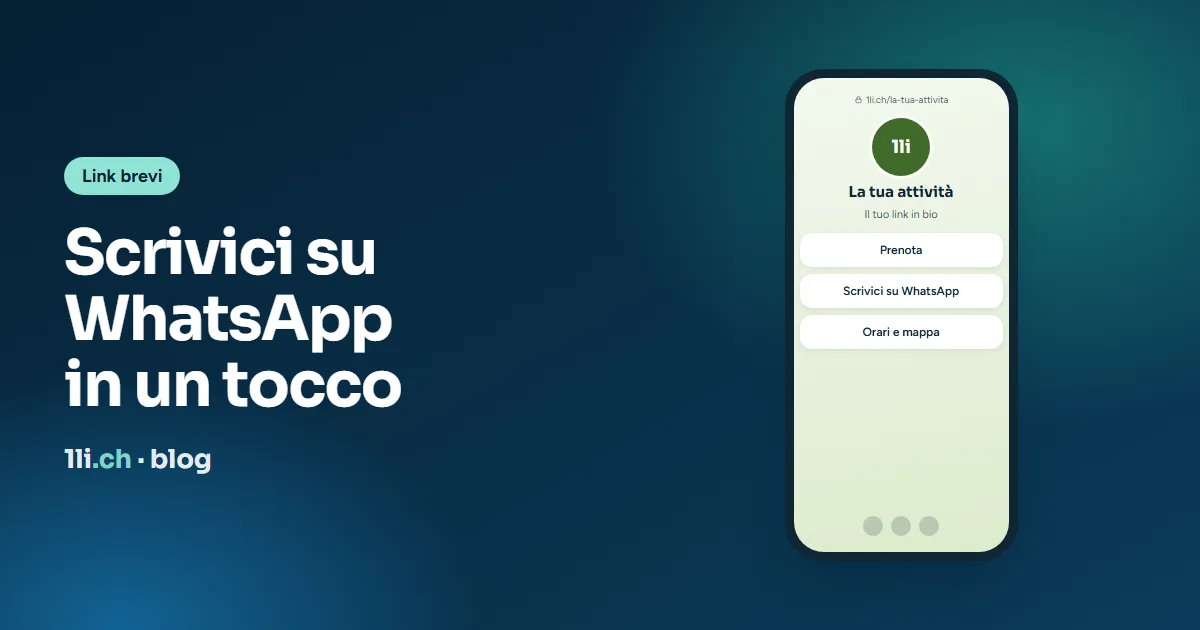
The natural place for your WhatsApp link is your bio link page, as a clearly visible button: “Order on WhatsApp”, “Book a table”, “Ask for a quote”. If you receive different kinds of requests, add several buttons with different messages, one for orders and one for information, so the conversations arrive already sorted. If you do not have a page yet, start with what a bio link page is.
Then there is the physical world. A QR code that opens the chat with the message ready works brilliantly:
- in the shop window, for people passing by when you are closed (“Order for tomorrow”);
- on the counter, for people who want to book next time without queuing;
- on the van or on the building site, for people who see your work and want a quote;
- on bags, labels and business cards.
Here too it is better to point the QR code to the short link and not directly to the wa.me link: the code stays simpler to read and you can change the destination. Write the short link out clearly underneath: after everything people read about scam QR codes, customers appreciate knowing where the code leads, as explained in how to recognise quishing. To create the code in your colours, you will find everything on the page about QR codes.
A few things to consider before you start
Think about which number to use. If you currently reply from your private number, consider a dedicated business number or the WhatsApp Business app, which keeps customers and family separate and lets you set up a welcome message and an away message. The wa.me link works with both.
Write on your page when you reply. “We reply Tuesday to Saturday, by the evening” avoids customers expecting an answer within two minutes at eleven at night. And do not make WhatsApp your only channel: some people prefer to call or send an email, and an extra button costs nothing.
Finally, keep your information aligned everywhere. If the WhatsApp link is on your bio link page, put it on your Google listing too, so people who find you on Maps have the same channel: we talked about this in Google listing and bio link page. For more examples of how shopkeepers use it, see the page dedicated to shops.
In short
A WhatsApp link with the message already written removes two obstacles: saving the number and finding the words. Build it with the number in international format and a text with gaps to fill in, shorten it with a short link, and add it as a button on your page and in a QR code in your shop window or on the counter. You will get clearer requests and fewer half-finished “Good morning” messages. You can add the first button today: Create your free page
Frequently asked questions
Does the customer have to save my number to message me?
No. The wa.me link opens the chat with your number directly, without adding it to their contacts.
Is the pre-filled message sent automatically?
No. The text appears in the message box and the customer can edit it before tapping Send.
Can I change my number without reprinting the QR codes?
Yes, if the QR code leads to a short link of yours: you change the short link’s destination and the printed QR code stays valid.